> ## Documentation Index
> Fetch the complete documentation index at: https://extension.js.org/llms.txt
> Use this file to discover all available pages before exploring further.
# Browser launch flags for Chrome, Firefox, and Edge
> Use firefox://flags, chrome://flags, and browser launch flags in Extension.js. Control Chrome, Firefox, and Edge runtime behavior during extension development.
Control browser launch behavior for debugging, automation, and runtime
experiments.
**Looking for `chrome://flags` or `edge://flags`?** Type it into your address
bar, which is the browser's built-in page. **Firefox has no `firefox://flags`**;
use `about:config` instead.
If you're toggling flags to **test or build a browser extension**, Extension.js
applies them per-project automatically across Chrome, Edge, and Firefox, so you
don't pass flags by hand on every run. [Create your first extension in 30
seconds →](/docs/getting-started)
This page is part of the Extension.js documentation. Extension.js builds and runs browser extensions from one `manifest.json` for Chrome, Edge, Firefox, and Safari, and `npx extension@latest dev` launches the browser with the flags on this page applied.
Tune browser launch behavior without changing extension source code. Extension.js merges browser flags from your `extension.config.*` and applies them in `dev`, `preview`, and `start` flows.
## Does Firefox have `firefox://flags`?
Firefox does not use `firefox://flags` the way Chromium browsers use `chrome://flags` or `edge://flags`. Firefox exposes runtime toggles through `about:config` (preferences) and accepts launch flags from the command line.
If you searched for `firefox://flags`, `firefox //flags`, `browser://flags`, `mozilla://flags`, or `about flags firefox`, you are probably trying to change browser behavior during extension development. In Extension.js, do that in two places:
* Use [`browserFlags`](/docs/browsers/browser-flags) for launch-time flags Extension.js passes to the browser binary.
* Use [Firefox preferences](/docs/browsers/browser-preferences) for repeatable Gecko runtime behavior that would otherwise live in `about:config`.
Both work for Chrome, Edge, and Firefox extension development from the same Extension.js project.
## Flags in other browsers
Extension.js launches and configures any Chromium-based browser the same way.
* **`brave://flags`, `opera://flags`, `vivaldi://flags`, `yandex://flags`**: all
Chromium-based, so they behave identically to `chrome://flags`, and Extension.js
manages them per-project.
* **`internet://flags` and `browser://flags`**: these are not real browser
schemes. You are most likely looking for `chrome://flags` (Chromium) or
`about:config` (Firefox).
* **`edge://flags`**: Edge is Chromium, so it works exactly like Chrome in
Extension.js.
Building an extension that needs specific flags at launch? Set them once in
`extension.config.*` and Extension.js applies them every run. See
[`browserFlags`](/docs/browsers/browser-flags) below.
## GPU and WebGL flags
A headless session, a container, or a virtual machine often has no GPU. WebGL contexts then fail to create, and canvas code that needs one throws. Pass the Chromium switches through `browserFlags`:
```js theme={null}
export default {
browser: {
chrome: {
browserFlags: [
"--ignore-gpu-blocklist",
"--use-gl=angle",
"--use-angle=swiftshader",
],
},
},
};
```
`--ignore-gpu-blocklist` lets Chromium use a GPU that its blocklist would refuse. `--use-gl=angle` with `--use-angle=swiftshader` renders WebGL in software, which is the right choice in continuous integration. `--enable-unsafe-webgpu` turns on WebGPU where the browser still gates it. Firefox has no equivalent switches. Set `webgl.force-enabled` through browser preferences instead.
## Template examples
### `new-browser-flags`
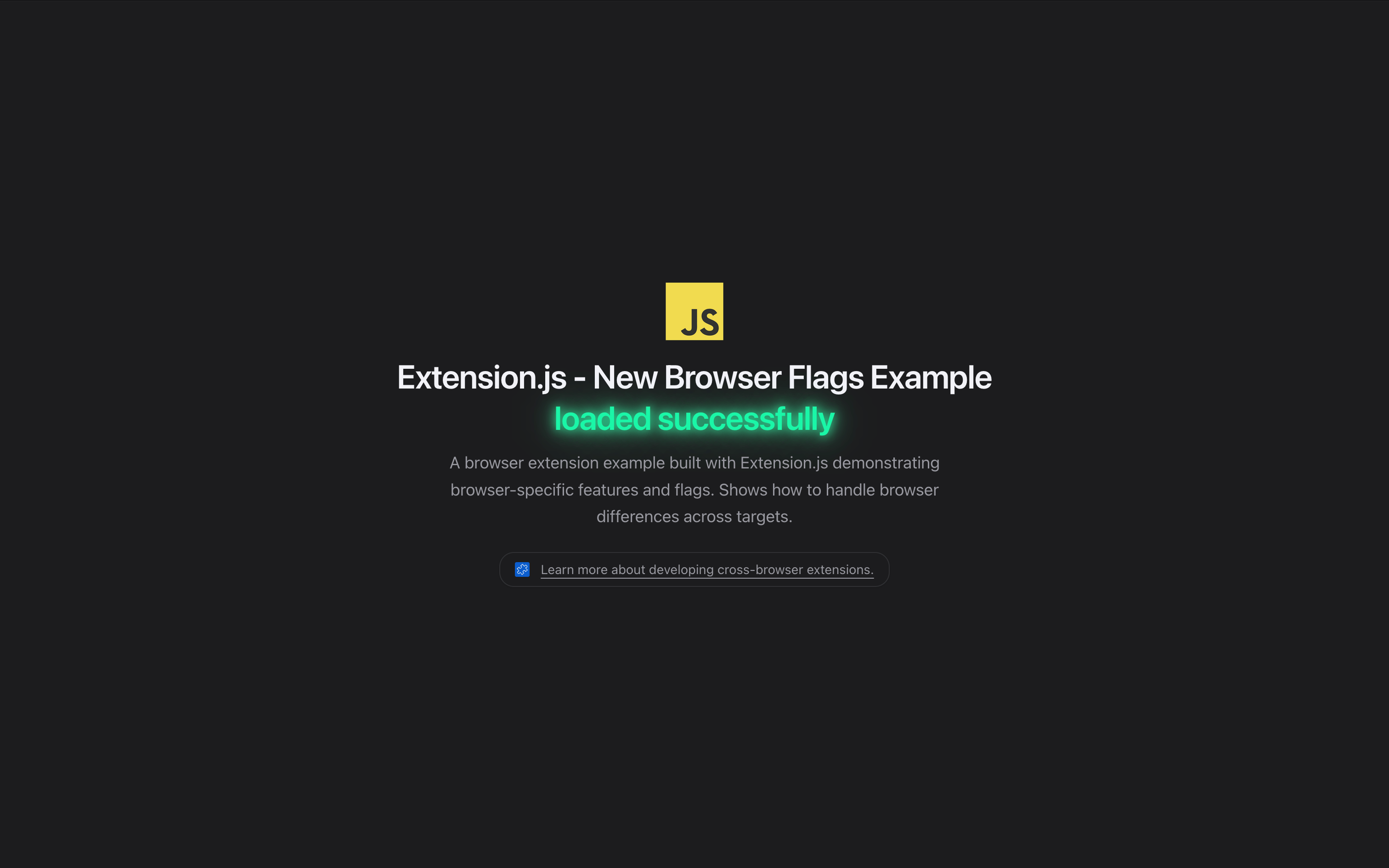 See browser flags in action with a new-tab extension that configures launch behavior.
```bash npm theme={null}
npx extension@latest create my-extension --template=newtab-browser-flags
```
```bash pnpm theme={null}
pnpx extension@latest create my-extension --template=newtab-browser-flags
```
```bash yarn 2+ theme={null}
yarn dlx extension@latest create my-extension --template=newtab-browser-flags
```
```bash bun theme={null}
bunx extension@latest create my-extension --template=newtab-browser-flags
```
```bash deno theme={null}
deno run -A npm:extension@latest create my-extension --template=newtab-browser-flags
```
Repository: [extension-js/examples/newtab-browser-flags](https://github.com/extension-js/examples/tree/main/examples/newtab-browser-flags)
## How it works
Configure flags in `extension.config.*`:
* `browser..browserFlags`
* `commands.dev|start|preview.browserFlags`
* Optional `excludeBrowserFlags` to remove defaults or user flags (behavior depends on whether you target Chromium or Firefox).
Override order: browser defaults → command defaults → CLI-selected command context.
## Flag capabilities
| Config key | What it does |
| - | - |
| `browser..browserFlags` | Sets default launch flags for a specific browser target. |
| `commands.dev.browserFlags` | Adds or overrides flags for `dev` runs. |
| `commands.start.browserFlags` | Adds or overrides flags for `start` runs. |
| `commands.preview.browserFlags` | Adds or overrides flags for `preview` runs. |
| `browser..excludeBrowserFlags` | Removes matching default or user flags for a target. |
| `commands..excludeBrowserFlags` | Removes flags in a command-specific context. |
### Example configuration
```js theme={null}
export default {
browser: {
chrome: {
browserFlags: ["--disable-web-security", "--auto-open-devtools-for-tabs"],
excludeBrowserFlags: ["--mute-audio"],
},
firefox: {
browserFlags: ["--devtools", "--new-instance"],
excludeBrowserFlags: ["--devtools"],
},
},
};
```
## Chromium vs Firefox behavior
* **Chromium family (`chrome`, `edge`, `chromium`, `chromium-based`)**
* Starts from an internal default flag set, then appends your `browserFlags`.
* `excludeBrowserFlags` removes matching default and user flags.
* Extension.js manages `--load-extension=...` and filters it out from user-provided flags.
* **Firefox/Gecko family (`firefox`, `gecko-based` / `firefox-based`)**
* Uses user-provided `browserFlags` (no large default flag bundle like Chromium).
* `excludeBrowserFlags` removes matching user flags, with the same rule as Chromium.
Both families share one exclusion rule: a flag is removed when it equals the exclude value, or when the exclude value names a switch whose value continues with `=` or `,`. So `--disable-features` also removes `--disable-features=Translate`, while `--dev` never removes `--devtools`.
### Default Chromium flags
Extension.js applies these flags automatically when launching Chromium-family browsers. Use `excludeBrowserFlags` to remove any you do not need.
| Flag | Purpose |
| - | - |
| `--no-first-run` | Disable first run experience |
| `--disable-client-side-phishing-detection` | Disable phishing detection |
| `--disable-sync` | Disable sync to avoid account prompts |
| `--disable-component-extensions-with-background-pages` | Disable built-in extensions not affected by `--disable-extensions` |
| `--disable-default-apps` | Disable installation of default apps |
| `--disable-features=InterestFeedContentSuggestions` | Disable Discover feed on new tab page (NTP) |
| `--disable-features=Translate` | Disable Chrome translation |
| `--hide-scrollbars` | Hide scrollbars from screenshots |
| `--mute-audio` | Mute any audio |
| `--no-default-browser-check` | Disable default browser check prompt |
| `--ash-no-nudges` | Avoid user education nudges |
| `--disable-search-engine-choice-screen` | Disable search engine choice screen |
| `--disable-features=MediaRoute` | Disable Chrome Media Router background networking |
| `--use-mock-keychain` | Use mock keychain on Mac to prevent blocking dialogs |
| `--disable-background-networking` | Disable background network services |
| `--disable-breakpad` | Disable crashdump collection |
| `--disable-component-update` | Disable component updates |
| `--disable-domain-reliability` | Disable domain reliability monitoring |
| `--no-pings` | Disable hyperlink auditing pings |
| `--enable-features=SidePanelUpdates` | Ensure side panel is visible |
| `--disable-features=DisableLoadExtensionCommandLineSwitch` | Allow `--load-extension` at the command line |
| `--disable-features=ExtensionDisableUnsupportedDeveloper` | Keep unpacked extensions alive across `runtime.reload()` (Chromium 152+) |
| `--enable-unsafe-extension-debugging` | Allow Chrome DevTools Protocol (CDP) extension management (Chrome 126+) |
| `--silent-debugger-extension-api` | Suppress the "X is debugging this browser" infobar |
### Always-on session flags
Beyond the default table, every Chromium launch gets a fixed block of session-stability flags. They keep background timers, occluded windows, and renderer throttling from distorting automated and AI-driven sessions. `excludeBrowserFlags` cannot remove them:
```text theme={null}
--disable-background-timer-throttling
--disable-renderer-backgrounding
--disable-backgrounding-occluded-windows
--disable-features=TranslateUI
--disable-hang-monitor
--disable-prompt-on-repost
--memory-pressure-off
--max_old_space_size=4096
--disable-dev-shm-usage
```
In `dev` mode only, Extension.js also wires the debugging channel with three flags: `--remote-debugging-port=`, `--remote-debugging-address=127.0.0.1`, and `--remote-debugging-pipe`. Production-mode launches (`start`, `preview`) skip this trio.
### Feature-switch merging
Chromium honors only the last occurrence of a repeated switch. Extension.js therefore merges every `--enable-features` and `--disable-features` occurrence into one comma-joined switch each. Defaults, config, and environment values all merge, and duplicate feature names are removed. You can safely pass `--disable-features=Foo` in `browserFlags` without erasing the defaults.
### Environment switches
* `EXTENSION_BROWSER_FLAGS` appends whitespace-separated flags to every launch. It is applied after config flags and after `excludeBrowserFlags` filtering, so `excludeBrowserFlags` cannot remove flags that come from this variable.
* `EXTENSION_HEADLESS=1` (or `true`) forces `--headless=new`, unless a `--headless` flavor was already passed through config or environment flags. Use it as a focus-steal guard for automated sessions.
In Docker, continuous integration (CI), or containerized environments,
Extension.js also applies `--no-sandbox` and `--disable-setuid-sandbox`
automatically. On Linux it detects a container through any of these signals:
`CI=true`, a `/.dockerenv` file, a `/run/.containerenv` file,
`REMOTE_CONTAINERS=true`, `CODESPACES=true`, or a set `container` variable.
## Supported targets and references
| Browser | Usage | More information |
| - | - | - |
| Chrome | `extension dev --browser=chrome` | [Chrome Flags](https://peter.sh/experiments/chromium-command-line-switches/) |
| Edge | `extension dev --browser=edge` | [Edge Flags](https://docs.microsoft.com/en-us/deployedge/microsoft-edge-policies) |
| Firefox | `extension dev --browser=firefox` | [Firefox Flags](https://developer.mozilla.org/en-US/docs/Mozilla/Command_Line_Options) |
| Chromium-based | `extension dev --browser=chromium-based` | [Chromium Flags](https://peter.sh/experiments/chromium-command-line-switches/) |
| Gecko-based | `extension dev --browser=gecko-based` | Firefox-based browsers share the same flags as Firefox. |
Use binary flags when needed for engine-based targets:
* `--chromium-binary=...`
* `--gecko-binary=...`
## Best practices
* **Add only necessary flags**: Minimize long flag lists to reduce flaky or non-portable setups.
* **Prefer `excludeBrowserFlags` over replacing defaults**: Remove only what conflicts with your workflow.
* **Do not pass `--load-extension` manually**: Extension.js manages extension loading flags internally.
* **Validate per browser family**: A flag working in Chromium may be invalid or ignored in Firefox.
## Next steps
* Learn more about [Browser preferences](/docs/browsers/browser-preferences).
* Learn more about [Browser profile](/docs/browsers/browser-profile).
* Choose a target in [Browsers available](/docs/browsers/browsers-available).
* Wire flags through [`extension.config.*`](/docs/features/extension-configuration).
* New to extension tooling? Start with a [browser extension framework](/docs/compare) overview.
This documentation is built and hosted on [Mintlify](https://mintlify.com), a developer documentation platform.
See browser flags in action with a new-tab extension that configures launch behavior.
```bash npm theme={null}
npx extension@latest create my-extension --template=newtab-browser-flags
```
```bash pnpm theme={null}
pnpx extension@latest create my-extension --template=newtab-browser-flags
```
```bash yarn 2+ theme={null}
yarn dlx extension@latest create my-extension --template=newtab-browser-flags
```
```bash bun theme={null}
bunx extension@latest create my-extension --template=newtab-browser-flags
```
```bash deno theme={null}
deno run -A npm:extension@latest create my-extension --template=newtab-browser-flags
```
Repository: [extension-js/examples/newtab-browser-flags](https://github.com/extension-js/examples/tree/main/examples/newtab-browser-flags)
## How it works
Configure flags in `extension.config.*`:
* `browser..browserFlags`
* `commands.dev|start|preview.browserFlags`
* Optional `excludeBrowserFlags` to remove defaults or user flags (behavior depends on whether you target Chromium or Firefox).
Override order: browser defaults → command defaults → CLI-selected command context.
## Flag capabilities
| Config key | What it does |
| - | - |
| `browser..browserFlags` | Sets default launch flags for a specific browser target. |
| `commands.dev.browserFlags` | Adds or overrides flags for `dev` runs. |
| `commands.start.browserFlags` | Adds or overrides flags for `start` runs. |
| `commands.preview.browserFlags` | Adds or overrides flags for `preview` runs. |
| `browser..excludeBrowserFlags` | Removes matching default or user flags for a target. |
| `commands..excludeBrowserFlags` | Removes flags in a command-specific context. |
### Example configuration
```js theme={null}
export default {
browser: {
chrome: {
browserFlags: ["--disable-web-security", "--auto-open-devtools-for-tabs"],
excludeBrowserFlags: ["--mute-audio"],
},
firefox: {
browserFlags: ["--devtools", "--new-instance"],
excludeBrowserFlags: ["--devtools"],
},
},
};
```
## Chromium vs Firefox behavior
* **Chromium family (`chrome`, `edge`, `chromium`, `chromium-based`)**
* Starts from an internal default flag set, then appends your `browserFlags`.
* `excludeBrowserFlags` removes matching default and user flags.
* Extension.js manages `--load-extension=...` and filters it out from user-provided flags.
* **Firefox/Gecko family (`firefox`, `gecko-based` / `firefox-based`)**
* Uses user-provided `browserFlags` (no large default flag bundle like Chromium).
* `excludeBrowserFlags` removes matching user flags, with the same rule as Chromium.
Both families share one exclusion rule: a flag is removed when it equals the exclude value, or when the exclude value names a switch whose value continues with `=` or `,`. So `--disable-features` also removes `--disable-features=Translate`, while `--dev` never removes `--devtools`.
### Default Chromium flags
Extension.js applies these flags automatically when launching Chromium-family browsers. Use `excludeBrowserFlags` to remove any you do not need.
| Flag | Purpose |
| - | - |
| `--no-first-run` | Disable first run experience |
| `--disable-client-side-phishing-detection` | Disable phishing detection |
| `--disable-sync` | Disable sync to avoid account prompts |
| `--disable-component-extensions-with-background-pages` | Disable built-in extensions not affected by `--disable-extensions` |
| `--disable-default-apps` | Disable installation of default apps |
| `--disable-features=InterestFeedContentSuggestions` | Disable Discover feed on new tab page (NTP) |
| `--disable-features=Translate` | Disable Chrome translation |
| `--hide-scrollbars` | Hide scrollbars from screenshots |
| `--mute-audio` | Mute any audio |
| `--no-default-browser-check` | Disable default browser check prompt |
| `--ash-no-nudges` | Avoid user education nudges |
| `--disable-search-engine-choice-screen` | Disable search engine choice screen |
| `--disable-features=MediaRoute` | Disable Chrome Media Router background networking |
| `--use-mock-keychain` | Use mock keychain on Mac to prevent blocking dialogs |
| `--disable-background-networking` | Disable background network services |
| `--disable-breakpad` | Disable crashdump collection |
| `--disable-component-update` | Disable component updates |
| `--disable-domain-reliability` | Disable domain reliability monitoring |
| `--no-pings` | Disable hyperlink auditing pings |
| `--enable-features=SidePanelUpdates` | Ensure side panel is visible |
| `--disable-features=DisableLoadExtensionCommandLineSwitch` | Allow `--load-extension` at the command line |
| `--disable-features=ExtensionDisableUnsupportedDeveloper` | Keep unpacked extensions alive across `runtime.reload()` (Chromium 152+) |
| `--enable-unsafe-extension-debugging` | Allow Chrome DevTools Protocol (CDP) extension management (Chrome 126+) |
| `--silent-debugger-extension-api` | Suppress the "X is debugging this browser" infobar |
### Always-on session flags
Beyond the default table, every Chromium launch gets a fixed block of session-stability flags. They keep background timers, occluded windows, and renderer throttling from distorting automated and AI-driven sessions. `excludeBrowserFlags` cannot remove them:
```text theme={null}
--disable-background-timer-throttling
--disable-renderer-backgrounding
--disable-backgrounding-occluded-windows
--disable-features=TranslateUI
--disable-hang-monitor
--disable-prompt-on-repost
--memory-pressure-off
--max_old_space_size=4096
--disable-dev-shm-usage
```
In `dev` mode only, Extension.js also wires the debugging channel with three flags: `--remote-debugging-port=`, `--remote-debugging-address=127.0.0.1`, and `--remote-debugging-pipe`. Production-mode launches (`start`, `preview`) skip this trio.
### Feature-switch merging
Chromium honors only the last occurrence of a repeated switch. Extension.js therefore merges every `--enable-features` and `--disable-features` occurrence into one comma-joined switch each. Defaults, config, and environment values all merge, and duplicate feature names are removed. You can safely pass `--disable-features=Foo` in `browserFlags` without erasing the defaults.
### Environment switches
* `EXTENSION_BROWSER_FLAGS` appends whitespace-separated flags to every launch. It is applied after config flags and after `excludeBrowserFlags` filtering, so `excludeBrowserFlags` cannot remove flags that come from this variable.
* `EXTENSION_HEADLESS=1` (or `true`) forces `--headless=new`, unless a `--headless` flavor was already passed through config or environment flags. Use it as a focus-steal guard for automated sessions.
In Docker, continuous integration (CI), or containerized environments,
Extension.js also applies `--no-sandbox` and `--disable-setuid-sandbox`
automatically. On Linux it detects a container through any of these signals:
`CI=true`, a `/.dockerenv` file, a `/run/.containerenv` file,
`REMOTE_CONTAINERS=true`, `CODESPACES=true`, or a set `container` variable.
## Supported targets and references
| Browser | Usage | More information |
| - | - | - |
| Chrome | `extension dev --browser=chrome` | [Chrome Flags](https://peter.sh/experiments/chromium-command-line-switches/) |
| Edge | `extension dev --browser=edge` | [Edge Flags](https://docs.microsoft.com/en-us/deployedge/microsoft-edge-policies) |
| Firefox | `extension dev --browser=firefox` | [Firefox Flags](https://developer.mozilla.org/en-US/docs/Mozilla/Command_Line_Options) |
| Chromium-based | `extension dev --browser=chromium-based` | [Chromium Flags](https://peter.sh/experiments/chromium-command-line-switches/) |
| Gecko-based | `extension dev --browser=gecko-based` | Firefox-based browsers share the same flags as Firefox. |
Use binary flags when needed for engine-based targets:
* `--chromium-binary=...`
* `--gecko-binary=...`
## Best practices
* **Add only necessary flags**: Minimize long flag lists to reduce flaky or non-portable setups.
* **Prefer `excludeBrowserFlags` over replacing defaults**: Remove only what conflicts with your workflow.
* **Do not pass `--load-extension` manually**: Extension.js manages extension loading flags internally.
* **Validate per browser family**: A flag working in Chromium may be invalid or ignored in Firefox.
## Next steps
* Learn more about [Browser preferences](/docs/browsers/browser-preferences).
* Learn more about [Browser profile](/docs/browsers/browser-profile).
* Choose a target in [Browsers available](/docs/browsers/browsers-available).
* Wire flags through [`extension.config.*`](/docs/features/extension-configuration).
* New to extension tooling? Start with a [browser extension framework](/docs/compare) overview.
This documentation is built and hosted on [Mintlify](https://mintlify.com), a developer documentation platform.