> ## Documentation Index
> Fetch the complete documentation index at: https://extension.js.org/llms.txt
> Use this file to discover all available pages before exploring further.
# Content scripts with HMR and manifest entries
> Build page-integrated features with content scripts. Extension.js compiles manifest entries, wraps them for HMR, and emits predictable outputs.
Build page-integrated extension features with content scripts while keeping a reliable dev loop for JS and CSS updates.
Extension.js compiles content script entries from `manifest.json` and wraps them for runtime mounting and hot module replacement (HMR) behavior. It emits predictable `content_scripts/*` outputs.
## Content script capabilities
| Capability | What it gives you |
| - | - |
| Manifest-driven entries | Compile JS/CSS content script lists directly from manifest |
| Dev remount flow | Update scripts/styles quickly through wrapper-driven behavior |
| MAIN vs isolated world support | Use MAIN world (page JavaScript context) or isolated world (sandboxed extension context) |
| Predictable output layout | Emit normalized `content_scripts/*` artifacts |
## Template examples
### `content`
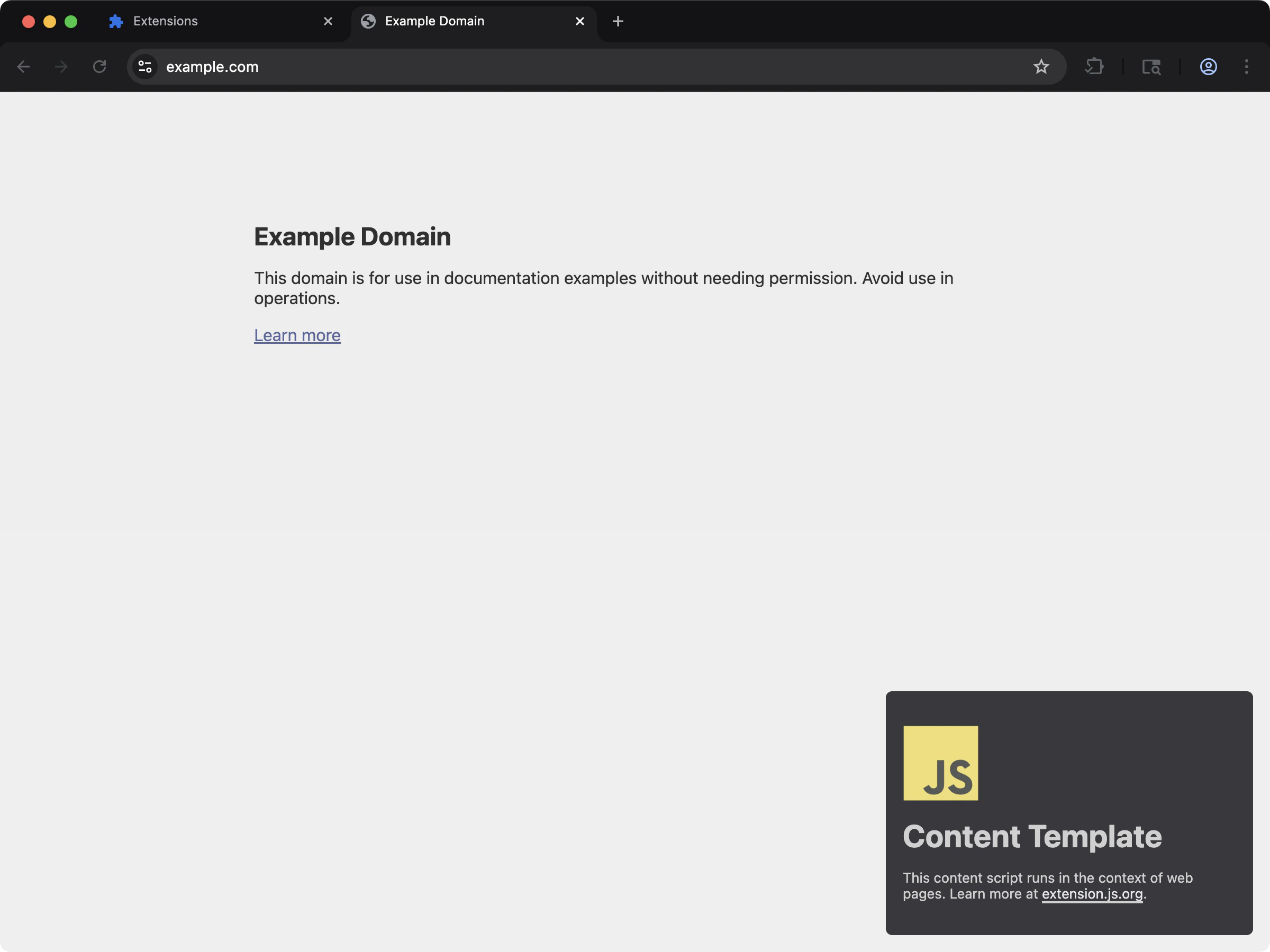 Minimal content script setup with vanilla JS.
```bash npm theme={null}
npx extension@latest create my-extension --template=content
```
```bash pnpm theme={null}
pnpx extension@latest create my-extension --template=content
```
```bash yarn 2+ theme={null}
yarn dlx extension@latest create my-extension --template=content
```
```bash bun theme={null}
bunx extension@latest create my-extension --template=content
```
```bash deno theme={null}
deno run -A npm:extension@latest create my-extension --template=content
```
Repository: [extension-js/examples/content](https://github.com/extension-js/examples/tree/main/examples/content)
### `content-react`
Minimal content script setup with vanilla JS.
```bash npm theme={null}
npx extension@latest create my-extension --template=content
```
```bash pnpm theme={null}
pnpx extension@latest create my-extension --template=content
```
```bash yarn 2+ theme={null}
yarn dlx extension@latest create my-extension --template=content
```
```bash bun theme={null}
bunx extension@latest create my-extension --template=content
```
```bash deno theme={null}
deno run -A npm:extension@latest create my-extension --template=content
```
Repository: [extension-js/examples/content](https://github.com/extension-js/examples/tree/main/examples/content)
### `content-react`
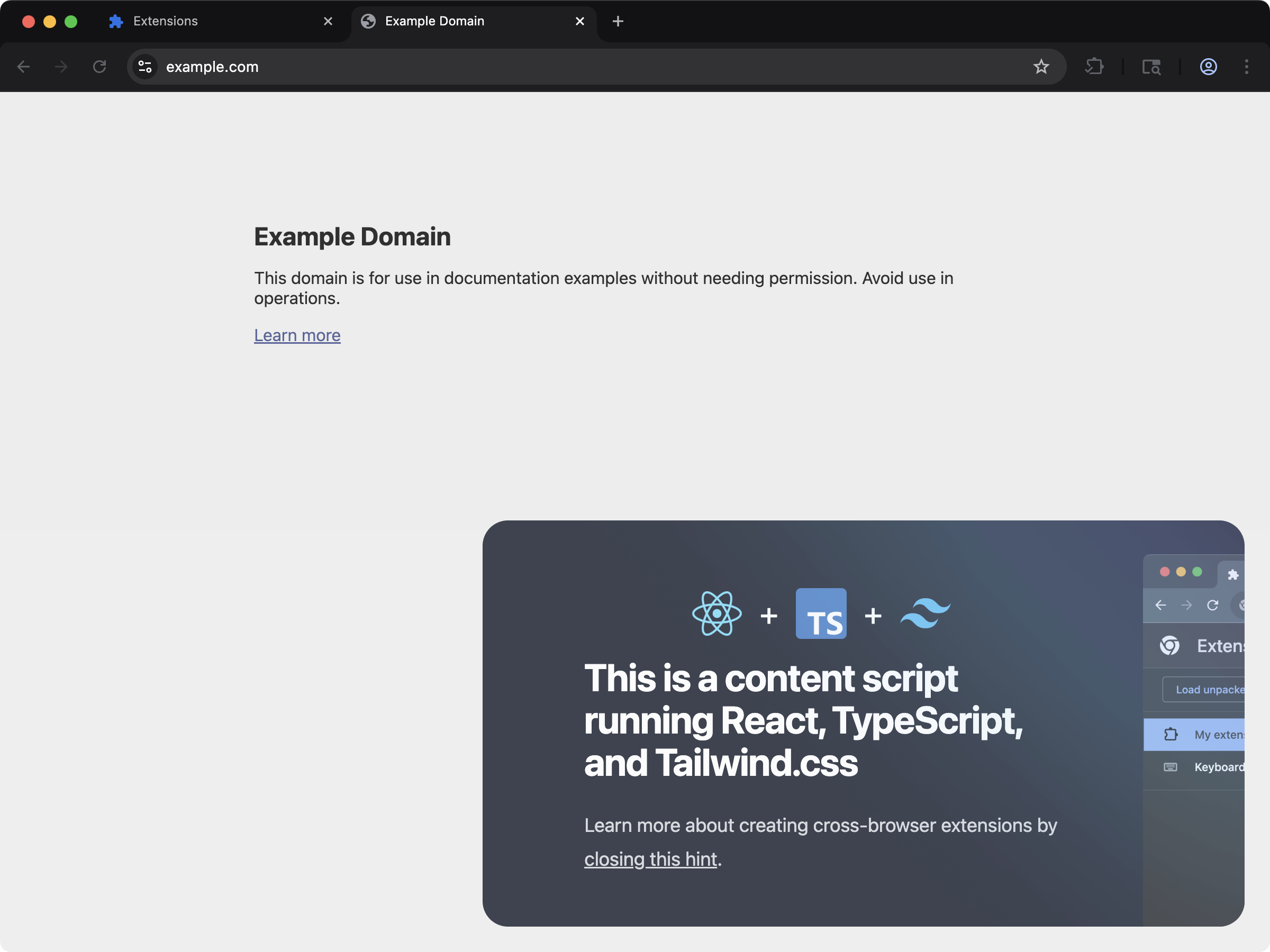 Inject a React-powered UI into web pages through content scripts.
```bash npm theme={null}
npx extension@latest create my-extension --template=content-react
```
```bash pnpm theme={null}
pnpx extension@latest create my-extension --template=content-react
```
```bash yarn 2+ theme={null}
yarn dlx extension@latest create my-extension --template=content-react
```
```bash bun theme={null}
bunx extension@latest create my-extension --template=content-react
```
```bash deno theme={null}
deno run -A npm:extension@latest create my-extension --template=content-react
```
Repository: [extension-js/examples/content-react](https://github.com/extension-js/examples/tree/main/examples/content-react)
## Supported manifest fields
| Manifest field | File type expected |
| - | - |
| `content_scripts.js` | `.js`, `.jsx`, `.ts`, `.tsx`, `.mjs` |
| `content_scripts.css` | `.css`, `.scss`, `.sass`, `.less` |
## Sample content script declaration
Example content script declaration in `manifest.json`:
```json theme={null}
{
"manifest_version": 3,
"name": "My Extension",
"version": "1.0.0",
"content_scripts": [
{
"matches": [""],
"js": ["./scripts/content-script.ts"],
"css": ["./styles/content-style.css"]
}
]
}
```
## Authoring contract
For every content-script-like entry, Extension.js expects a mount-style default export. This is a function that sets up behavior and optionally returns a cleanup callback:
* The module should `export default` a synchronous function.
* That function should perform setup work.
* It may return a synchronous cleanup callback.
* Extension.js does not support classes as the default export.
This applies to:
* Files referenced by `manifest.json > content_scripts[*].js`.
* Files you place under the project `scripts/` folder and use as script entrypoints.
### Valid shapes
```ts theme={null}
export default function main() {
return () => {};
}
```
```ts theme={null}
const main = () => {};
export default main;
```
### Invalid shapes
```ts theme={null}
export default class App {}
```
```ts theme={null}
export default {};
```
### Guidance for async content scripts
Keep the default export synchronous even when the feature does async work internally. Start async work inside the function and return a synchronous cleanup.
Why this matters: Extension.js remounts content scripts during development. Without a cleanup function, you can duplicate UI, event listeners, observers, and timers.
## What happens on contract violations
* No default export: Extension.js warns during development and skips mounting.
* Default export is not a function: Extension.js warns during development and skips mounting.
* Default export returns a Promise: the module still runs, but Extension.js does not treat that `Promise` as cleanup.
If your content script appears to compile but never mounts, check the default export first.
## Runtime wrapper behavior
* Extension.js wraps content script modules with mount/runtime helpers.
* In development mode, Extension.js adds HMR accept/dispose behavior and remount flow.
* CSS updates trigger remount events (`__EXTENSIONJS_CSS_UPDATE__`) in development.
* Extension.js respects `run_at` timing from manifest values.
## Multi-entry content scripts
You can declare multiple content script entries in a single manifest. Each entry compiles independently with its own match patterns, run timing, and world settings.
### `content-multi-one-entry`
Inject a React-powered UI into web pages through content scripts.
```bash npm theme={null}
npx extension@latest create my-extension --template=content-react
```
```bash pnpm theme={null}
pnpx extension@latest create my-extension --template=content-react
```
```bash yarn 2+ theme={null}
yarn dlx extension@latest create my-extension --template=content-react
```
```bash bun theme={null}
bunx extension@latest create my-extension --template=content-react
```
```bash deno theme={null}
deno run -A npm:extension@latest create my-extension --template=content-react
```
Repository: [extension-js/examples/content-react](https://github.com/extension-js/examples/tree/main/examples/content-react)
## Supported manifest fields
| Manifest field | File type expected |
| - | - |
| `content_scripts.js` | `.js`, `.jsx`, `.ts`, `.tsx`, `.mjs` |
| `content_scripts.css` | `.css`, `.scss`, `.sass`, `.less` |
## Sample content script declaration
Example content script declaration in `manifest.json`:
```json theme={null}
{
"manifest_version": 3,
"name": "My Extension",
"version": "1.0.0",
"content_scripts": [
{
"matches": [""],
"js": ["./scripts/content-script.ts"],
"css": ["./styles/content-style.css"]
}
]
}
```
## Authoring contract
For every content-script-like entry, Extension.js expects a mount-style default export. This is a function that sets up behavior and optionally returns a cleanup callback:
* The module should `export default` a synchronous function.
* That function should perform setup work.
* It may return a synchronous cleanup callback.
* Extension.js does not support classes as the default export.
This applies to:
* Files referenced by `manifest.json > content_scripts[*].js`.
* Files you place under the project `scripts/` folder and use as script entrypoints.
### Valid shapes
```ts theme={null}
export default function main() {
return () => {};
}
```
```ts theme={null}
const main = () => {};
export default main;
```
### Invalid shapes
```ts theme={null}
export default class App {}
```
```ts theme={null}
export default {};
```
### Guidance for async content scripts
Keep the default export synchronous even when the feature does async work internally. Start async work inside the function and return a synchronous cleanup.
Why this matters: Extension.js remounts content scripts during development. Without a cleanup function, you can duplicate UI, event listeners, observers, and timers.
## What happens on contract violations
* No default export: Extension.js warns during development and skips mounting.
* Default export is not a function: Extension.js warns during development and skips mounting.
* Default export returns a Promise: the module still runs, but Extension.js does not treat that `Promise` as cleanup.
If your content script appears to compile but never mounts, check the default export first.
## Runtime wrapper behavior
* Extension.js wraps content script modules with mount/runtime helpers.
* In development mode, Extension.js adds HMR accept/dispose behavior and remount flow.
* CSS updates trigger remount events (`__EXTENSIONJS_CSS_UPDATE__`) in development.
* Extension.js respects `run_at` timing from manifest values.
## Multi-entry content scripts
You can declare multiple content script entries in a single manifest. Each entry compiles independently with its own match patterns, run timing, and world settings.
### `content-multi-one-entry`
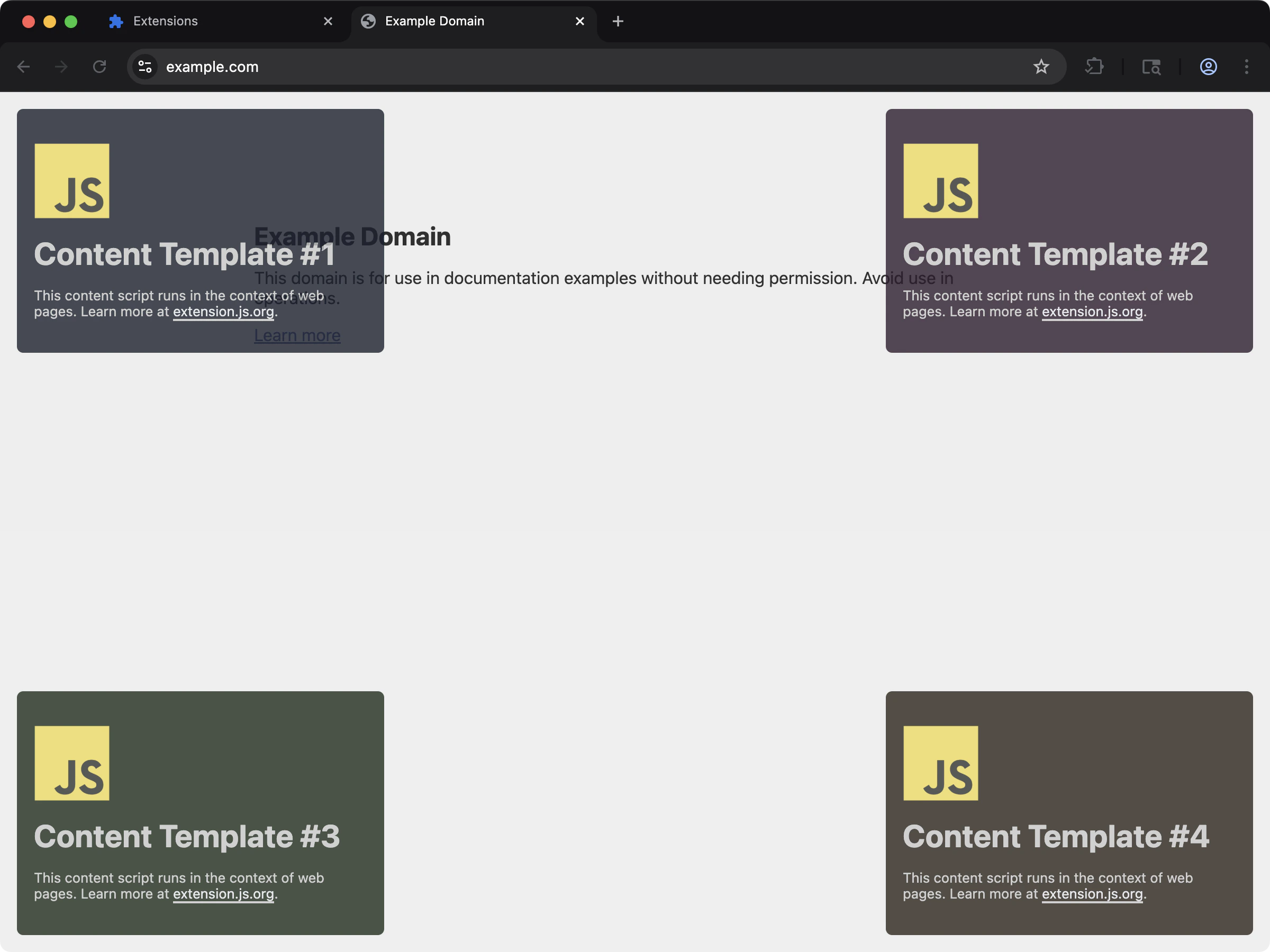 Multiple content scripts bundled under one `content_scripts` manifest entry.
```bash npm theme={null}
npx extension@latest create my-extension --template=content-multi-one-entry
```
```bash pnpm theme={null}
pnpx extension@latest create my-extension --template=content-multi-one-entry
```
```bash yarn 2+ theme={null}
yarn dlx extension@latest create my-extension --template=content-multi-one-entry
```
```bash bun theme={null}
bunx extension@latest create my-extension --template=content-multi-one-entry
```
```bash deno theme={null}
deno run -A npm:extension@latest create my-extension --template=content-multi-one-entry
```
Repository: [extension-js/examples/content-multi-one-entry](https://github.com/extension-js/examples/tree/main/examples/content-multi-one-entry)
### `content-multi-three-entries`
Multiple content scripts bundled under one `content_scripts` manifest entry.
```bash npm theme={null}
npx extension@latest create my-extension --template=content-multi-one-entry
```
```bash pnpm theme={null}
pnpx extension@latest create my-extension --template=content-multi-one-entry
```
```bash yarn 2+ theme={null}
yarn dlx extension@latest create my-extension --template=content-multi-one-entry
```
```bash bun theme={null}
bunx extension@latest create my-extension --template=content-multi-one-entry
```
```bash deno theme={null}
deno run -A npm:extension@latest create my-extension --template=content-multi-one-entry
```
Repository: [extension-js/examples/content-multi-one-entry](https://github.com/extension-js/examples/tree/main/examples/content-multi-one-entry)
### `content-multi-three-entries`
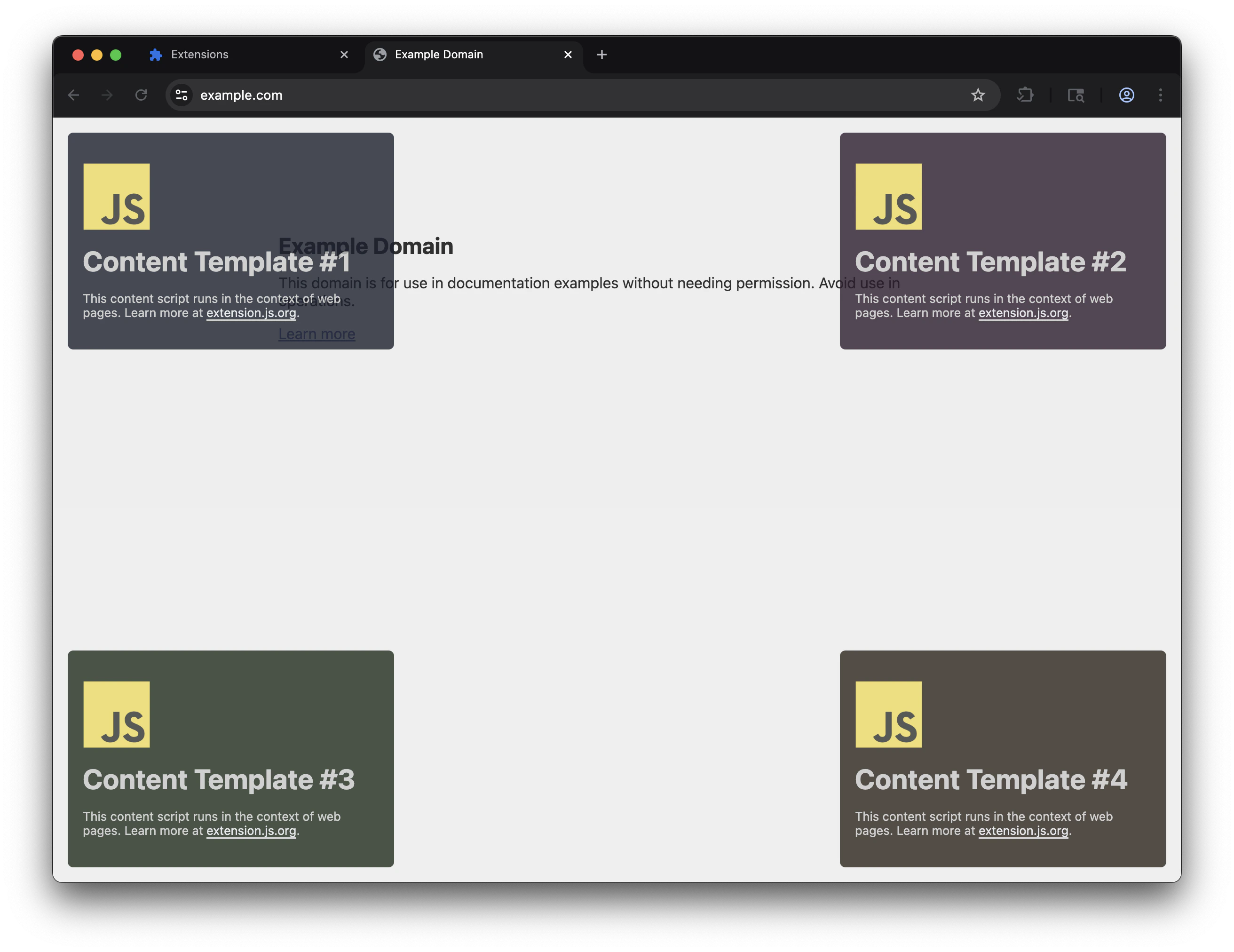 Three separate `content_scripts` manifest entries with independent match patterns.
```bash npm theme={null}
npx extension@latest create my-extension --template=content-multi-three-entries
```
```bash pnpm theme={null}
pnpx extension@latest create my-extension --template=content-multi-three-entries
```
```bash yarn 2+ theme={null}
yarn dlx extension@latest create my-extension --template=content-multi-three-entries
```
```bash bun theme={null}
bunx extension@latest create my-extension --template=content-multi-three-entries
```
```bash deno theme={null}
deno run -A npm:extension@latest create my-extension --template=content-multi-three-entries
```
Repository: [extension-js/examples/content-multi-three-entries](https://github.com/extension-js/examples/tree/main/examples/content-multi-three-entries)
## Classic multi-file entries
When one `content_scripts.js` array lists several plain JavaScript files with no `import` or `export`, Extension.js concatenates them into one bundle. Bundling each file as an isolated module would break them. The browser injects classic files in order into one shared scope, and concatenation preserves that:
* Implicit cross-file globals keep working. A top-level `var` or function in the first file stays visible to the next file.
* Each source file registers as a build dependency, so saving any file in the group triggers a rebuild.
* The emitted source map points at your real files and lines, so errors trace back to the original code.
* A raw `.ts` file inside a concat group gets its types stripped with the bundled SWC before concatenation.
Entries that use `import` or `export` keep normal module bundling.
## `scripts/` folder behavior
The `scripts/` folder is for script entrypoints that no HTML page entry declares. In practice, these entries follow the same default-export pattern as content scripts.
That means `scripts/` is not a generic folder for loose JavaScript files:
* Script entry files should still export a default function when they mount behavior
* Extension.js treats adding or removing supported files under `scripts/` as a structural change in watch mode
* Extension.js may require a dev server restart when that entry set changes
## Output path
Extension.js normalizes content script entries per manifest index:
```plaintext theme={null}
content_scripts/
├── content-0.js # production
├── content-0.abcd1234.js # development (hash-based cache busting)
├── content-0.css
└── ...
```
In **development mode**, content script JS filenames include a short hash suffix (for example, `content-0.abcd1234.js`). This forces the browser to load a fresh `chrome-extension://` URL after each rebuild.
Chrome aggressively caches extension resources, so the hash prevents stale code. Production builds use clean `content-0.js` names.
## MAIN world notes
### `content-main-world`
See MAIN world content scripts in action with a working example that injects UI directly into the page context:
```bash npm theme={null}
npx extension@latest create my-extension --template=content-main-world
```
```bash pnpm theme={null}
pnpx extension@latest create my-extension --template=content-main-world
```
```bash yarn 2+ theme={null}
yarn dlx extension@latest create my-extension --template=content-main-world
```
```bash bun theme={null}
bunx extension@latest create my-extension --template=content-main-world
```
```bash deno theme={null}
deno run -A npm:extension@latest create my-extension --template=content-main-world
```
Repository: [extension-js/examples/content-main-world](https://github.com/extension-js/examples/tree/main/examples/content-main-world)
* **`world: "MAIN"` is Chromium-only.** Firefox does not support the `world` field and ignores it. Your script still runs in the isolated world on Firefox.
* **Cross-browser MAIN world behavior:** Use the `chromium:` manifest prefix to declare it only for Chromium targets. Then provide an isolated-world fallback for Firefox.
* Extension APIs (`chrome.runtime`, `chrome.storage`, etc.) are **not available** in the MAIN world; you can only access page-context globals.
* Treat MAIN world as an advanced path. Validate behavior on each target browser early.
### The isolated-world bridge
MAIN world scripts cannot call extension APIs, so Extension.js pairs each MAIN group with a helper that can. Expect the built manifest to differ from your source here:
* The dist manifest contains more `content_scripts` entries than the source. Extension.js prepends one isolated-world bridge entry before each MAIN group.
* Bridge entries take asset indices after your entries. Your `content_scripts/content-N` outputs keep the index of the source entry that produced them.
* The bridge resolves extension URLs through `runtime.getURL` and injects the MAIN world's script chunks into the page.
* The bridge validates that `event.source` is the same window before acting on a message.
* It injects only extension-scheme URLs (`chrome-extension://`, `moz-extension://`) or relative paths, never arbitrary remote URLs.
### Isolated vs MAIN quick example
```json theme={null}
{
"content_scripts": [
{
"matches": [""],
"js": ["./scripts/isolated.ts"]
},
{
"matches": [""],
"js": ["./scripts/main-world.ts"],
"world": "MAIN"
}
]
}
```
Use isolated world by default. Use `MAIN` only when you need page-context access, and account for extension API/runtime constraints.
### Cross-browser MAIN world pattern
Use [browser-specific prefixes](/docs/features/browser-specific-fields) to declare MAIN world only for Chromium and provide an isolated fallback for Firefox:
```json theme={null}
{
"content_scripts": [
{
"matches": [""],
"js": ["./scripts/isolated.ts"]
},
{
"matches": [""],
"chromium:js": ["./scripts/main-world.ts"],
"chromium:world": "MAIN"
}
]
}
```
Firefox skips the `chromium:` prefixed fields entirely, so the second entry reaches the Firefox build with no `js` and no `css`. Firefox gets nothing from it. The build leaves that entry out of the Firefox manifest and prints why:
```text theme={null}
content_scripts[1] has no js and no css in the firefox build, so the build left it out.
chromium:js, chromium:world apply to another browser. Add firefox:js or a plain js to keep the entry here.
```
When Firefox needs a content script on those matches, put a plain `js` on the same entry. A prefixed key overrides the plain key with the same name, so Chromium still takes `chromium:js` in the MAIN world and Firefox runs the plain `js` in the isolated world. One entry then covers both browsers, and the build prints no warning:
```json theme={null}
{
"content_scripts": [
{
"matches": [""],
"js": ["./scripts/isolated.ts"],
"chromium:js": ["./scripts/main-world.ts"],
"chromium:world": "MAIN"
}
]
}
```
A plain `js` is the base every target reads, so the entry stays whole on any browser that does not resolve `chromium:`. `firefox:js` also keeps the entry, but only on Gecko targets, and the prefix page's rule is to write the plain key as the base and prefix only the exception.
## Matching and execution guidance
The browser still controls where a content script runs. Extension.js bundles the file, but the manifest entry still defines where and when the script runs.
* Keep `matches` as narrow as the feature allows.
* Add `exclude_matches`, `all_frames`, or `match_about_blank` only when the feature actually requires those behaviors.
* Treat `run_at` and `world` as part of the feature contract, not an implementation detail.
* Re-test permission and host-permission scope when changing where a content script runs.
## Development behavior
* Editing content script code usually updates through wrapper-driven HMR/remount flow.
* CSS-only entries receive dev helper behavior so style updates can propagate.
* If content script entrypoint lists change in manifest, Extension.js may require a dev server restart.
## Best practices
* Keep content script entry files small and delegate logic to shared modules.
* Scope selectors/styles carefully to avoid host-page collisions.
* Prefer explicit `run_at` and `world` values when behavior depends on timing/context.
* Treat manifest content-script list changes as structural development changes.
* Pass page-derived data through validated messaging instead of performing privileged work directly in the content script.
* Default to isolated world and move to `MAIN` only when the page context is strictly required.
## Next steps
* Understand update outcomes in [dev update behavior](/docs/workflows/dev-update-behavior).
* Design cross-context communication with [Messaging](/docs/implementation-guide/messaging).
* Review access scope in [Permissions and host permissions](/docs/implementation-guide/permissions-and-host-permissions).
* Learn about [web-accessible resources](/docs/implementation-guide/web-accessible-resources).
* Continue with [locales in development](/docs/implementation-guide/locales).
## See the template run
This documentation is built and hosted on [Mintlify](https://mintlify.com), a developer documentation platform.
Three separate `content_scripts` manifest entries with independent match patterns.
```bash npm theme={null}
npx extension@latest create my-extension --template=content-multi-three-entries
```
```bash pnpm theme={null}
pnpx extension@latest create my-extension --template=content-multi-three-entries
```
```bash yarn 2+ theme={null}
yarn dlx extension@latest create my-extension --template=content-multi-three-entries
```
```bash bun theme={null}
bunx extension@latest create my-extension --template=content-multi-three-entries
```
```bash deno theme={null}
deno run -A npm:extension@latest create my-extension --template=content-multi-three-entries
```
Repository: [extension-js/examples/content-multi-three-entries](https://github.com/extension-js/examples/tree/main/examples/content-multi-three-entries)
## Classic multi-file entries
When one `content_scripts.js` array lists several plain JavaScript files with no `import` or `export`, Extension.js concatenates them into one bundle. Bundling each file as an isolated module would break them. The browser injects classic files in order into one shared scope, and concatenation preserves that:
* Implicit cross-file globals keep working. A top-level `var` or function in the first file stays visible to the next file.
* Each source file registers as a build dependency, so saving any file in the group triggers a rebuild.
* The emitted source map points at your real files and lines, so errors trace back to the original code.
* A raw `.ts` file inside a concat group gets its types stripped with the bundled SWC before concatenation.
Entries that use `import` or `export` keep normal module bundling.
## `scripts/` folder behavior
The `scripts/` folder is for script entrypoints that no HTML page entry declares. In practice, these entries follow the same default-export pattern as content scripts.
That means `scripts/` is not a generic folder for loose JavaScript files:
* Script entry files should still export a default function when they mount behavior
* Extension.js treats adding or removing supported files under `scripts/` as a structural change in watch mode
* Extension.js may require a dev server restart when that entry set changes
## Output path
Extension.js normalizes content script entries per manifest index:
```plaintext theme={null}
content_scripts/
├── content-0.js # production
├── content-0.abcd1234.js # development (hash-based cache busting)
├── content-0.css
└── ...
```
In **development mode**, content script JS filenames include a short hash suffix (for example, `content-0.abcd1234.js`). This forces the browser to load a fresh `chrome-extension://` URL after each rebuild.
Chrome aggressively caches extension resources, so the hash prevents stale code. Production builds use clean `content-0.js` names.
## MAIN world notes
### `content-main-world`
See MAIN world content scripts in action with a working example that injects UI directly into the page context:
```bash npm theme={null}
npx extension@latest create my-extension --template=content-main-world
```
```bash pnpm theme={null}
pnpx extension@latest create my-extension --template=content-main-world
```
```bash yarn 2+ theme={null}
yarn dlx extension@latest create my-extension --template=content-main-world
```
```bash bun theme={null}
bunx extension@latest create my-extension --template=content-main-world
```
```bash deno theme={null}
deno run -A npm:extension@latest create my-extension --template=content-main-world
```
Repository: [extension-js/examples/content-main-world](https://github.com/extension-js/examples/tree/main/examples/content-main-world)
* **`world: "MAIN"` is Chromium-only.** Firefox does not support the `world` field and ignores it. Your script still runs in the isolated world on Firefox.
* **Cross-browser MAIN world behavior:** Use the `chromium:` manifest prefix to declare it only for Chromium targets. Then provide an isolated-world fallback for Firefox.
* Extension APIs (`chrome.runtime`, `chrome.storage`, etc.) are **not available** in the MAIN world; you can only access page-context globals.
* Treat MAIN world as an advanced path. Validate behavior on each target browser early.
### The isolated-world bridge
MAIN world scripts cannot call extension APIs, so Extension.js pairs each MAIN group with a helper that can. Expect the built manifest to differ from your source here:
* The dist manifest contains more `content_scripts` entries than the source. Extension.js prepends one isolated-world bridge entry before each MAIN group.
* Bridge entries take asset indices after your entries. Your `content_scripts/content-N` outputs keep the index of the source entry that produced them.
* The bridge resolves extension URLs through `runtime.getURL` and injects the MAIN world's script chunks into the page.
* The bridge validates that `event.source` is the same window before acting on a message.
* It injects only extension-scheme URLs (`chrome-extension://`, `moz-extension://`) or relative paths, never arbitrary remote URLs.
### Isolated vs MAIN quick example
```json theme={null}
{
"content_scripts": [
{
"matches": [""],
"js": ["./scripts/isolated.ts"]
},
{
"matches": [""],
"js": ["./scripts/main-world.ts"],
"world": "MAIN"
}
]
}
```
Use isolated world by default. Use `MAIN` only when you need page-context access, and account for extension API/runtime constraints.
### Cross-browser MAIN world pattern
Use [browser-specific prefixes](/docs/features/browser-specific-fields) to declare MAIN world only for Chromium and provide an isolated fallback for Firefox:
```json theme={null}
{
"content_scripts": [
{
"matches": [""],
"js": ["./scripts/isolated.ts"]
},
{
"matches": [""],
"chromium:js": ["./scripts/main-world.ts"],
"chromium:world": "MAIN"
}
]
}
```
Firefox skips the `chromium:` prefixed fields entirely, so the second entry reaches the Firefox build with no `js` and no `css`. Firefox gets nothing from it. The build leaves that entry out of the Firefox manifest and prints why:
```text theme={null}
content_scripts[1] has no js and no css in the firefox build, so the build left it out.
chromium:js, chromium:world apply to another browser. Add firefox:js or a plain js to keep the entry here.
```
When Firefox needs a content script on those matches, put a plain `js` on the same entry. A prefixed key overrides the plain key with the same name, so Chromium still takes `chromium:js` in the MAIN world and Firefox runs the plain `js` in the isolated world. One entry then covers both browsers, and the build prints no warning:
```json theme={null}
{
"content_scripts": [
{
"matches": [""],
"js": ["./scripts/isolated.ts"],
"chromium:js": ["./scripts/main-world.ts"],
"chromium:world": "MAIN"
}
]
}
```
A plain `js` is the base every target reads, so the entry stays whole on any browser that does not resolve `chromium:`. `firefox:js` also keeps the entry, but only on Gecko targets, and the prefix page's rule is to write the plain key as the base and prefix only the exception.
## Matching and execution guidance
The browser still controls where a content script runs. Extension.js bundles the file, but the manifest entry still defines where and when the script runs.
* Keep `matches` as narrow as the feature allows.
* Add `exclude_matches`, `all_frames`, or `match_about_blank` only when the feature actually requires those behaviors.
* Treat `run_at` and `world` as part of the feature contract, not an implementation detail.
* Re-test permission and host-permission scope when changing where a content script runs.
## Development behavior
* Editing content script code usually updates through wrapper-driven HMR/remount flow.
* CSS-only entries receive dev helper behavior so style updates can propagate.
* If content script entrypoint lists change in manifest, Extension.js may require a dev server restart.
## Best practices
* Keep content script entry files small and delegate logic to shared modules.
* Scope selectors/styles carefully to avoid host-page collisions.
* Prefer explicit `run_at` and `world` values when behavior depends on timing/context.
* Treat manifest content-script list changes as structural development changes.
* Pass page-derived data through validated messaging instead of performing privileged work directly in the content script.
* Default to isolated world and move to `MAIN` only when the page context is strictly required.
## Next steps
* Understand update outcomes in [dev update behavior](/docs/workflows/dev-update-behavior).
* Design cross-context communication with [Messaging](/docs/implementation-guide/messaging).
* Review access scope in [Permissions and host permissions](/docs/implementation-guide/permissions-and-host-permissions).
* Learn about [web-accessible resources](/docs/implementation-guide/web-accessible-resources).
* Continue with [locales in development](/docs/implementation-guide/locales).
## See the template run
This documentation is built and hosted on [Mintlify](https://mintlify.com), a developer documentation platform.