> ## Documentation Index
> Fetch the complete documentation index at: https://extension.js.org/llms.txt
> Use this file to discover all available pages before exploring further.
# Locales and internationalization
> Add i18n to a browser extension with _locales and chrome.i18n. Extension.js discovers, validates, and emits locale JSON for each build.
Internationalization, usually shortened to i18n, works through two pieces: a `_locales` folder that holds your translations, and the `chrome.i18n` API that reads them at runtime.
Extension.js reads the `_locales` folder at your project root and validates that each declared locale has a `messages.json`. It emits locale JSON assets into the browser-specific build. During development, it picks up edits to any locale file without a full restart.
## Template example
### `action-locales`
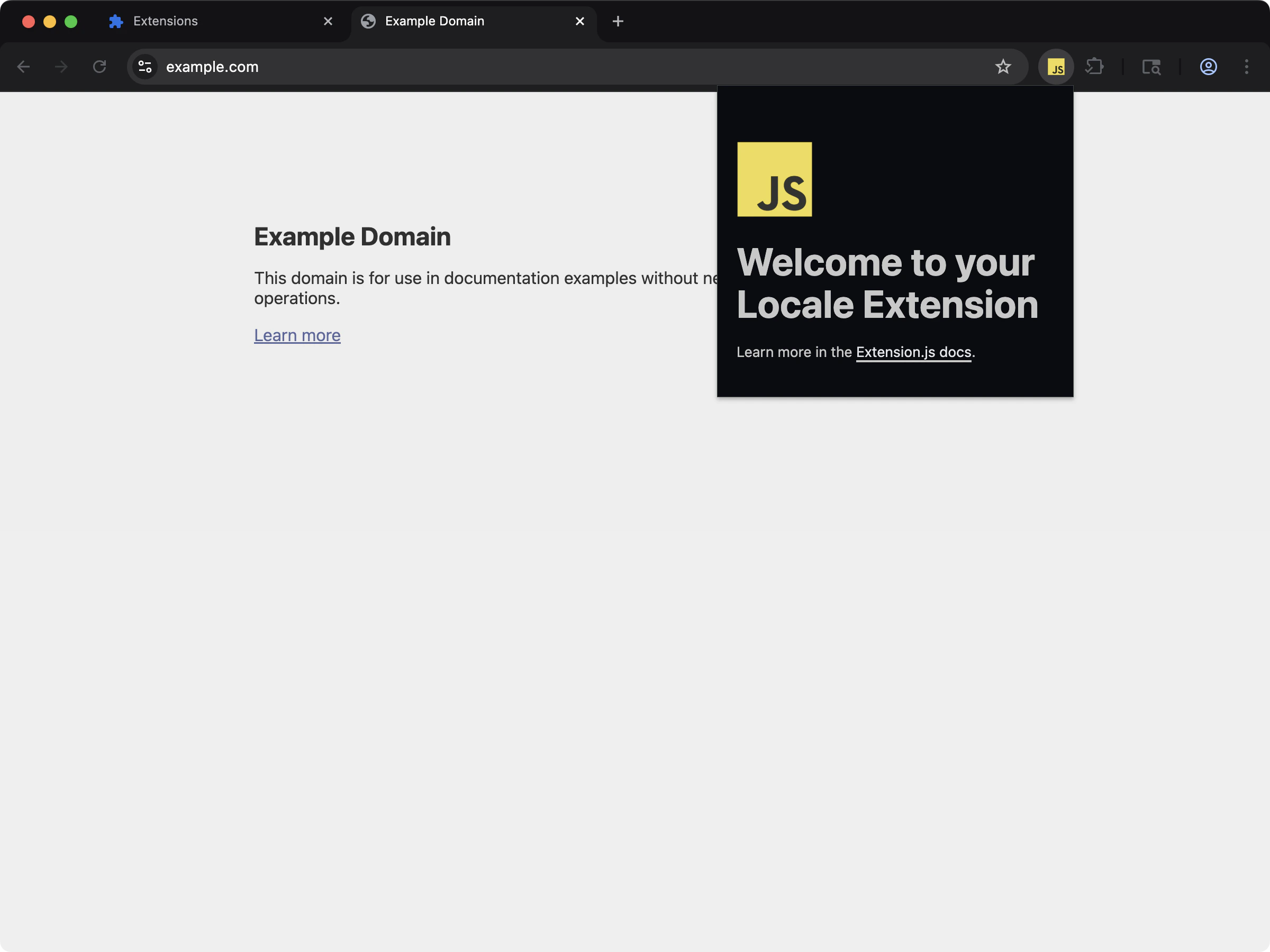 See localized extension metadata and UI strings with `_locales` support.
```bash npm theme={null}
npx extension@latest create my-extension --template=action-locales
```
```bash pnpm theme={null}
pnpx extension@latest create my-extension --template=action-locales
```
```bash yarn 2+ theme={null}
yarn dlx extension@latest create my-extension --template=action-locales
```
```bash bun theme={null}
bunx extension@latest create my-extension --template=action-locales
```
```bash deno theme={null}
deno run -A npm:extension@latest create my-extension --template=action-locales
```
Repository: [extension-js/examples/action-locales](https://github.com/extension-js/examples/tree/main/examples/action-locales)
## Locale capabilities
| Capability | What it gives you |
| - | - |
| Locale discovery | Detect `_locales//messages.json` at the project root |
| Validation | Catch missing default locale files and unresolved `__MSG_*__` keys |
| Build output mapping | Emit locale files in the expected extension output structure |
| Dev watch support | Reload on locale file changes during development |
## Expected structure
```plaintext theme={null}
manifest.json
_locales/
en/
messages.json
fr/
messages.json
```
`default_locale` in `manifest.json` should map to an existing `_locales//messages.json`.
### Legacy layout: `_locales` next to the manifest
The project root is the canonical place for `_locales`, even when your manifest lives in a subfolder such as `src/`. A `_locales` folder next to a nested manifest still builds. The compiler emits a `LocalesLayoutWarning` that asks you to move it to the root. Browsers read locales from the extension root, so the root placement matches what ships.
## Sample locales declaration in `manifest.json`
Here is how to declare locales in `manifest.json`:
```json theme={null}
{
"manifest_version": 3,
"name": "My Extension",
"version": "1.0.0",
"default_locale": "en",
"description": "__MSG_extension_description__"
}
```
You would then include JSON files for each locale inside the `_locales` folder:
```plaintext theme={null}
_locales/
└── en/
└── messages.json
```
## Sample `messages.json` file
Example `messages.json` file for translations:
```json theme={null}
{
"extension_name": {
"message": "My Extension"
},
"extension_description": {
"message": "This is a localized description of my extension."
}
}
```
## Read strings at runtime with chrome.i18n
`__MSG_*__` placeholders are a manifest feature. The browser expands them in
`manifest.json` and in CSS files that the manifest declares. Nowhere else.
For every string in your own code, call the API:
```js theme={null}
const title = chrome.i18n.getMessage("extension_name");
document.title = title;
```
Substitutions come from the second argument:
```json _locales/en/messages.json theme={null}
{
"greeting": {
"message": "Hello, $NAME$",
"placeholders": {
"name": {
"content": "$1"
}
}
}
}
```
```js theme={null}
chrome.i18n.getMessage("greeting", ["Ada"]);
```
Two more calls are useful:
* `chrome.i18n.getUILanguage()` returns the browser's language.
* `chrome.i18n.getAcceptLanguages()` returns the user's accepted languages.
### Extension.js does not substitute placeholders for you
Extension.js reads `__MSG_*__` references. It never rewrites them.
* In `manifest.json`, it checks each reference against the default locale and reports the ones that are missing.
* At packaging time, it resolves a `__MSG_*__` name so the zip filename carries the translated name.
* In HTML, JavaScript, and JSON files, it leaves the text untouched.
So a placeholder that you write into an HTML file ships as literal text. Set the string from script instead:
```html pages/popup.html theme={null}
```
```js theme={null}
for (const node of document.querySelectorAll("[data-i18n]")) {
node.textContent = chrome.i18n.getMessage(node.dataset.i18n);
}
```
The same limit applies to CSS that a content script inserts as `
See localized extension metadata and UI strings with `_locales` support.
```bash npm theme={null}
npx extension@latest create my-extension --template=action-locales
```
```bash pnpm theme={null}
pnpx extension@latest create my-extension --template=action-locales
```
```bash yarn 2+ theme={null}
yarn dlx extension@latest create my-extension --template=action-locales
```
```bash bun theme={null}
bunx extension@latest create my-extension --template=action-locales
```
```bash deno theme={null}
deno run -A npm:extension@latest create my-extension --template=action-locales
```
Repository: [extension-js/examples/action-locales](https://github.com/extension-js/examples/tree/main/examples/action-locales)
## Locale capabilities
| Capability | What it gives you |
| - | - |
| Locale discovery | Detect `_locales//messages.json` at the project root |
| Validation | Catch missing default locale files and unresolved `__MSG_*__` keys |
| Build output mapping | Emit locale files in the expected extension output structure |
| Dev watch support | Reload on locale file changes during development |
## Expected structure
```plaintext theme={null}
manifest.json
_locales/
en/
messages.json
fr/
messages.json
```
`default_locale` in `manifest.json` should map to an existing `_locales//messages.json`.
### Legacy layout: `_locales` next to the manifest
The project root is the canonical place for `_locales`, even when your manifest lives in a subfolder such as `src/`. A `_locales` folder next to a nested manifest still builds. The compiler emits a `LocalesLayoutWarning` that asks you to move it to the root. Browsers read locales from the extension root, so the root placement matches what ships.
## Sample locales declaration in `manifest.json`
Here is how to declare locales in `manifest.json`:
```json theme={null}
{
"manifest_version": 3,
"name": "My Extension",
"version": "1.0.0",
"default_locale": "en",
"description": "__MSG_extension_description__"
}
```
You would then include JSON files for each locale inside the `_locales` folder:
```plaintext theme={null}
_locales/
└── en/
└── messages.json
```
## Sample `messages.json` file
Example `messages.json` file for translations:
```json theme={null}
{
"extension_name": {
"message": "My Extension"
},
"extension_description": {
"message": "This is a localized description of my extension."
}
}
```
## Read strings at runtime with chrome.i18n
`__MSG_*__` placeholders are a manifest feature. The browser expands them in
`manifest.json` and in CSS files that the manifest declares. Nowhere else.
For every string in your own code, call the API:
```js theme={null}
const title = chrome.i18n.getMessage("extension_name");
document.title = title;
```
Substitutions come from the second argument:
```json _locales/en/messages.json theme={null}
{
"greeting": {
"message": "Hello, $NAME$",
"placeholders": {
"name": {
"content": "$1"
}
}
}
}
```
```js theme={null}
chrome.i18n.getMessage("greeting", ["Ada"]);
```
Two more calls are useful:
* `chrome.i18n.getUILanguage()` returns the browser's language.
* `chrome.i18n.getAcceptLanguages()` returns the user's accepted languages.
### Extension.js does not substitute placeholders for you
Extension.js reads `__MSG_*__` references. It never rewrites them.
* In `manifest.json`, it checks each reference against the default locale and reports the ones that are missing.
* At packaging time, it resolves a `__MSG_*__` name so the zip filename carries the translated name.
* In HTML, JavaScript, and JSON files, it leaves the text untouched.
So a placeholder that you write into an HTML file ships as literal text. Set the string from script instead:
```html pages/popup.html theme={null}
```
```js theme={null}
for (const node of document.querySelectorAll("[data-i18n]")) {
node.textContent = chrome.i18n.getMessage(node.dataset.i18n);
}
```
The same limit applies to CSS that a content script inserts as `