> ## Documentation Index
> Fetch the complete documentation index at: https://extension.js.org/llms.txt
> Use this file to discover all available pages before exploring further.
# Preact for browser extensions
> Ship smaller extension UI bundles with Preact while keeping a React-like DX. Extension.js auto-configures JSX transforms and compat aliases.
Ship smaller extension UI bundles while keeping a React-like developer experience and fast local iteration.
Extension.js detects Preact from your dependencies. It configures JSX/TSX transforms and React compatibility aliases automatically. Your React imports map to Preact through these aliases. In development, edits apply through live reload: the changed surface reloads rather than hot-swapping components in place.
## When Preact is a good fit
* You want smaller UI bundle size for popup/sidebar/new tab surfaces.
* You like React-style components but want a lighter runtime.
* You are optimizing extension startup and UI responsiveness on lower-end devices.
## Template examples
### `new-preact`
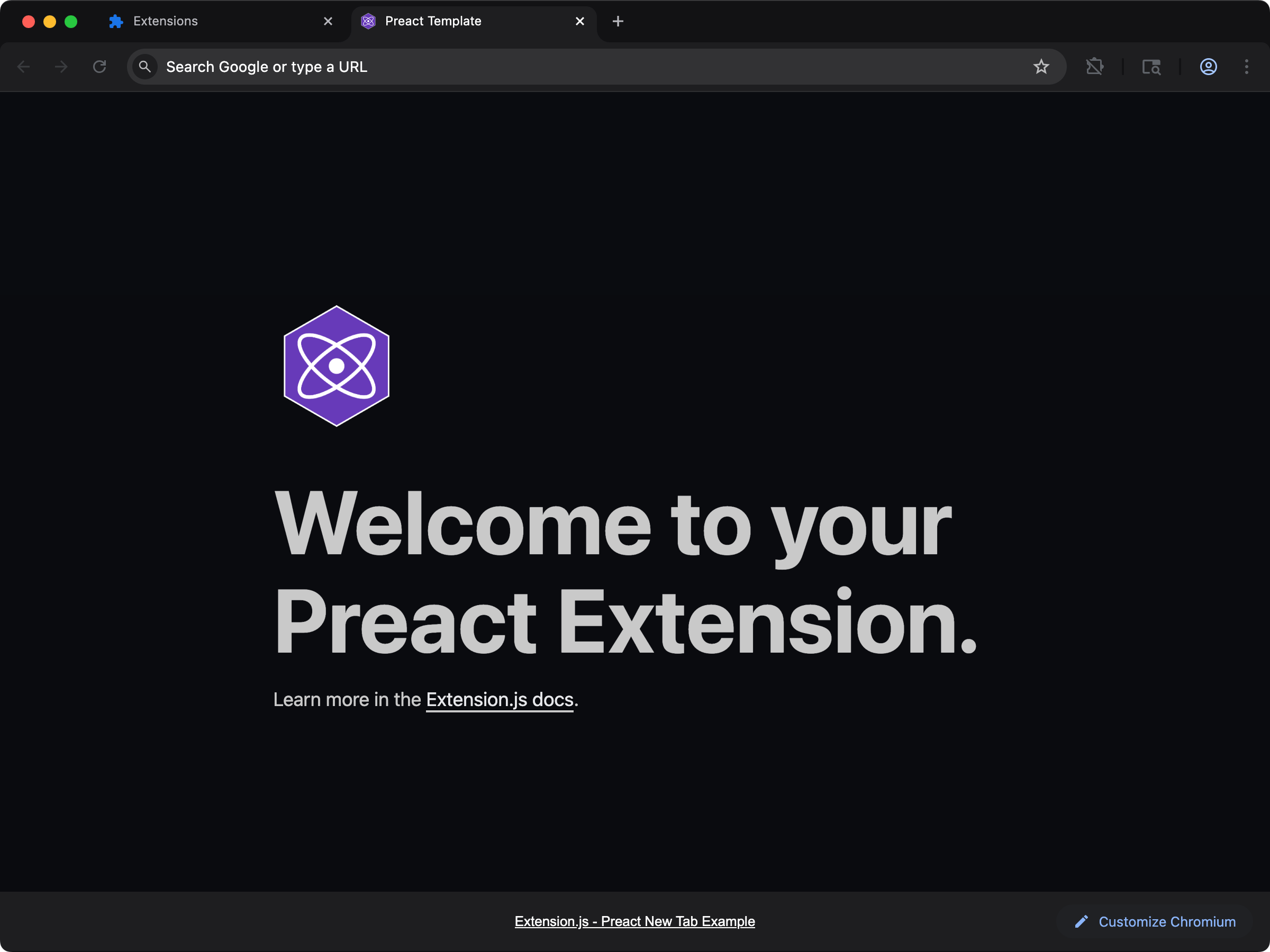 Ship a lighter new-tab UI with Preact and React-compatible ergonomics.
```bash npm theme={null}
npx extension@latest create my-extension --template=newtab-preact
```
```bash pnpm theme={null}
pnpx extension@latest create my-extension --template=newtab-preact
```
```bash yarn 2+ theme={null}
yarn dlx extension@latest create my-extension --template=newtab-preact
```
```bash bun theme={null}
bunx extension@latest create my-extension --template=newtab-preact
```
```bash deno theme={null}
deno run -A npm:extension@latest create my-extension --template=newtab-preact
```
Repository: [extension-js/examples/newtab-preact](https://github.com/extension-js/examples/tree/main/examples/newtab-preact)
### `content-preact`
Ship a lighter new-tab UI with Preact and React-compatible ergonomics.
```bash npm theme={null}
npx extension@latest create my-extension --template=newtab-preact
```
```bash pnpm theme={null}
pnpx extension@latest create my-extension --template=newtab-preact
```
```bash yarn 2+ theme={null}
yarn dlx extension@latest create my-extension --template=newtab-preact
```
```bash bun theme={null}
bunx extension@latest create my-extension --template=newtab-preact
```
```bash deno theme={null}
deno run -A npm:extension@latest create my-extension --template=newtab-preact
```
Repository: [extension-js/examples/newtab-preact](https://github.com/extension-js/examples/tree/main/examples/newtab-preact)
### `content-preact`
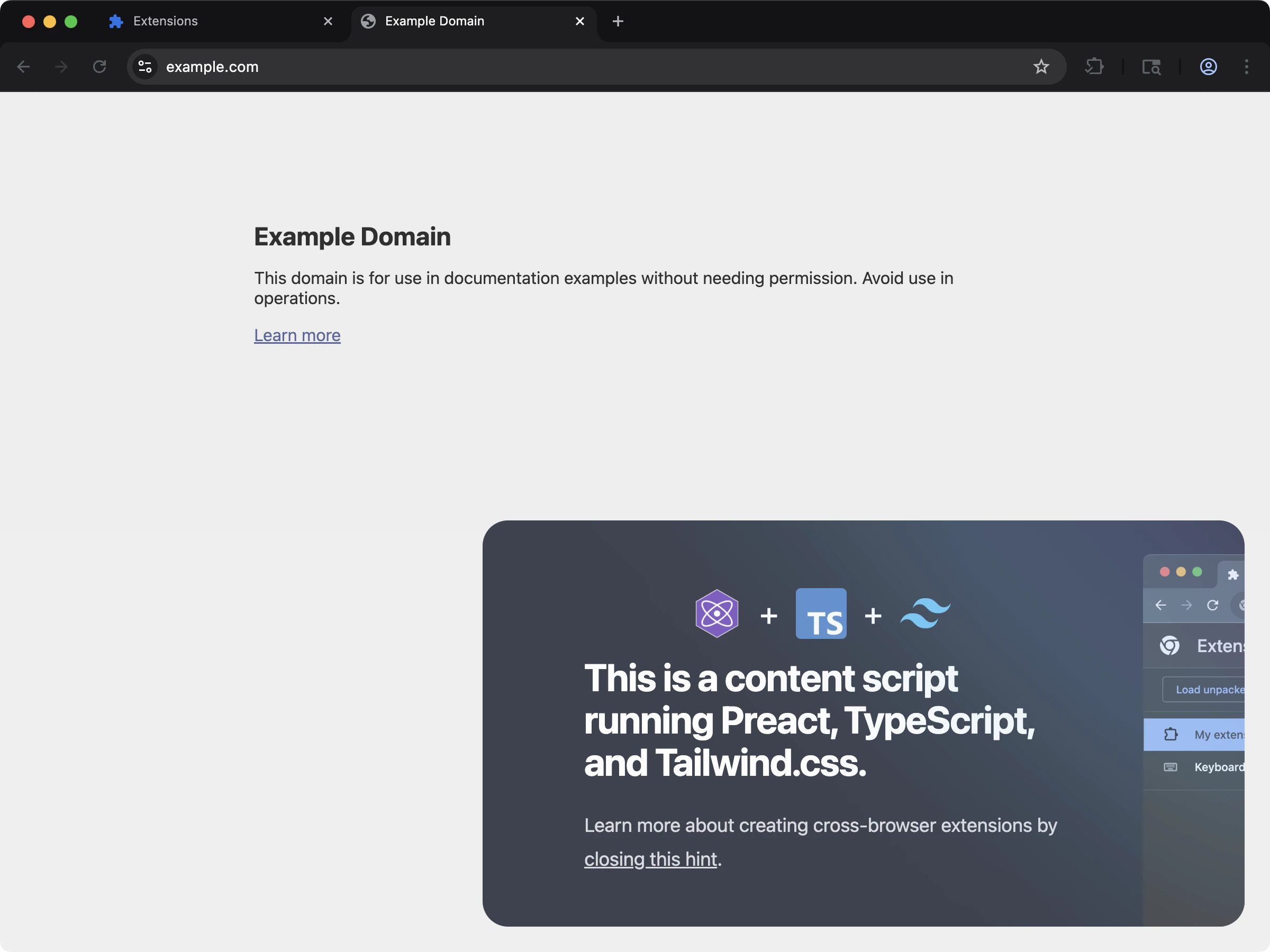 Inject a compact Preact UI into page content using content scripts.
```bash npm theme={null}
npx extension@latest create my-extension --template=content-preact
```
```bash pnpm theme={null}
pnpx extension@latest create my-extension --template=content-preact
```
```bash yarn 2+ theme={null}
yarn dlx extension@latest create my-extension --template=content-preact
```
```bash bun theme={null}
bunx extension@latest create my-extension --template=content-preact
```
```bash deno theme={null}
deno run -A npm:extension@latest create my-extension --template=content-preact
```
Repository: [extension-js/examples/content-preact](https://github.com/extension-js/examples/tree/main/examples/content-preact)
## Usage with an existing extension
Add Preact to an existing extension with the steps below.
### Installation
Install the required dependencies:
```bash npm theme={null}
npm install preact
```
```bash pnpm theme={null}
pnpm add preact
```
```bash yarn theme={null}
yarn add preact
```
```bash bun theme={null}
bun add preact
```
```bash deno theme={null}
deno add npm:preact
```
Preact ships its own TypeScript types, so you do not need a separate `@types/preact` package.
`preact` is the only package you add. Extension.js resolves `preact/compat`, `preact/test-utils`, and the JSX runtimes from your project and builds the alias map from whatever it finds, so there is no extra package to install.
Preact 10 and Preact 11 both work. Builds, rendering, and hooks behave the same on either version. If you use `@preact/signals` with Preact 11, install `@preact/signals` 2.0.4 or later, because 1.x and 2.0.0 to 2.0.3 accept only Preact 10 as a peer.
### Configuration
Extension.js expects Preact files to use the following file extensions:
* If you do not enable TypeScript: `*.jsx`
* If you enable TypeScript: `*.tsx`
## Development behavior
When Extension.js detects Preact, it configures:
* Compatibility aliases (for example, `react` → `preact/compat`).
* JSX handling tuned for Preact.
* Live reload in development: when a file changes, the affected surface reloads and remounts.
Unlike React, Preact does not currently get fast refresh (state-preserving
hot updates). The upstream `@rspack/plugin-preact-refresh` runtime is
incompatible with the Rspack version Extension.js ships, so Extension.js
disables it rather than break dev mode. Your app still updates on every
edit, and component state is just not preserved across edits. Fast refresh
returns once the upstream plugin is fixed.
### Troubleshooting
* **Component state resets on edit:** Expected for now, because Preact uses live reload, not fast refresh (see above).
* **No Preact integration detected:** Confirm `preact` appears in `dependencies` or `devDependencies`.
## Usage examples
### In a new tab extension
To use Preact in a new tab extension, include it as a `
Inject a compact Preact UI into page content using content scripts.
```bash npm theme={null}
npx extension@latest create my-extension --template=content-preact
```
```bash pnpm theme={null}
pnpx extension@latest create my-extension --template=content-preact
```
```bash yarn 2+ theme={null}
yarn dlx extension@latest create my-extension --template=content-preact
```
```bash bun theme={null}
bunx extension@latest create my-extension --template=content-preact
```
```bash deno theme={null}
deno run -A npm:extension@latest create my-extension --template=content-preact
```
Repository: [extension-js/examples/content-preact](https://github.com/extension-js/examples/tree/main/examples/content-preact)
## Usage with an existing extension
Add Preact to an existing extension with the steps below.
### Installation
Install the required dependencies:
```bash npm theme={null}
npm install preact
```
```bash pnpm theme={null}
pnpm add preact
```
```bash yarn theme={null}
yarn add preact
```
```bash bun theme={null}
bun add preact
```
```bash deno theme={null}
deno add npm:preact
```
Preact ships its own TypeScript types, so you do not need a separate `@types/preact` package.
`preact` is the only package you add. Extension.js resolves `preact/compat`, `preact/test-utils`, and the JSX runtimes from your project and builds the alias map from whatever it finds, so there is no extra package to install.
Preact 10 and Preact 11 both work. Builds, rendering, and hooks behave the same on either version. If you use `@preact/signals` with Preact 11, install `@preact/signals` 2.0.4 or later, because 1.x and 2.0.0 to 2.0.3 accept only Preact 10 as a peer.
### Configuration
Extension.js expects Preact files to use the following file extensions:
* If you do not enable TypeScript: `*.jsx`
* If you enable TypeScript: `*.tsx`
## Development behavior
When Extension.js detects Preact, it configures:
* Compatibility aliases (for example, `react` → `preact/compat`).
* JSX handling tuned for Preact.
* Live reload in development: when a file changes, the affected surface reloads and remounts.
Unlike React, Preact does not currently get fast refresh (state-preserving
hot updates). The upstream `@rspack/plugin-preact-refresh` runtime is
incompatible with the Rspack version Extension.js ships, so Extension.js
disables it rather than break dev mode. Your app still updates on every
edit, and component state is just not preserved across edits. Fast refresh
returns once the upstream plugin is fixed.
### Troubleshooting
* **Component state resets on edit:** Expected for now, because Preact uses live reload, not fast refresh (see above).
* **No Preact integration detected:** Confirm `preact` appears in `dependencies` or `devDependencies`.
## Usage examples
### In a new tab extension
To use Preact in a new tab extension, include it as a `