> ## Documentation Index
> Fetch the complete documentation index at: https://extension.js.org/llms.txt
> Use this file to discover all available pages before exploring further.
# Svelte for browser extensions
> Build extension UIs with Svelte components. Extension.js auto-configures .svelte file resolution, loader setup, and aliases from your dependencies.
Build extension UIs with Svelte components while keeping Extension.js in charge of the framework wiring.
Extension.js detects Svelte from your project dependencies and configures `.svelte` resolution, loader setup, and Svelte client aliases automatically.
## When Svelte is a good fit
* You want a smaller runtime for popup, options, sidebar, or new-tab UIs.
* You prefer component-first authoring with concise syntax.
* You want a framework option that works for both extension pages and content-script UI mounts.
## Template examples
### `new-svelte`
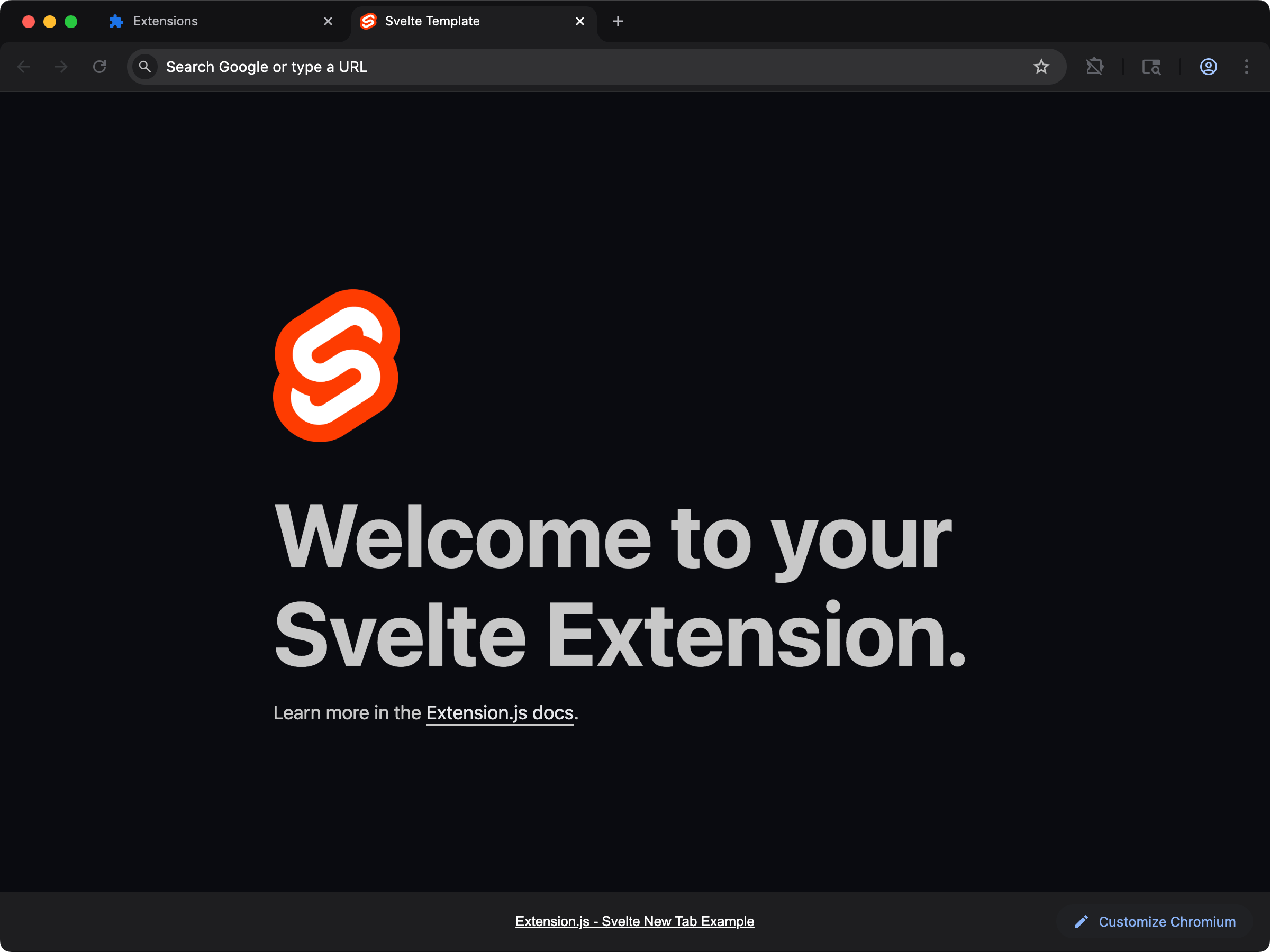 Use the Svelte starter when you want a framework-first extension UI with minimal setup.
```bash npm theme={null}
npx extension@latest create my-extension --template=newtab-svelte
```
```bash pnpm theme={null}
pnpx extension@latest create my-extension --template=newtab-svelte
```
```bash yarn 2+ theme={null}
yarn dlx extension@latest create my-extension --template=newtab-svelte
```
```bash bun theme={null}
bunx extension@latest create my-extension --template=newtab-svelte
```
```bash deno theme={null}
deno run -A npm:extension@latest create my-extension --template=newtab-svelte
```
Repository: [extension-js/examples/newtab-svelte](https://github.com/extension-js/examples/tree/main/examples/newtab-svelte)
### `content-svelte`
Use the Svelte starter when you want a framework-first extension UI with minimal setup.
```bash npm theme={null}
npx extension@latest create my-extension --template=newtab-svelte
```
```bash pnpm theme={null}
pnpx extension@latest create my-extension --template=newtab-svelte
```
```bash yarn 2+ theme={null}
yarn dlx extension@latest create my-extension --template=newtab-svelte
```
```bash bun theme={null}
bunx extension@latest create my-extension --template=newtab-svelte
```
```bash deno theme={null}
deno run -A npm:extension@latest create my-extension --template=newtab-svelte
```
Repository: [extension-js/examples/newtab-svelte](https://github.com/extension-js/examples/tree/main/examples/newtab-svelte)
### `content-svelte`
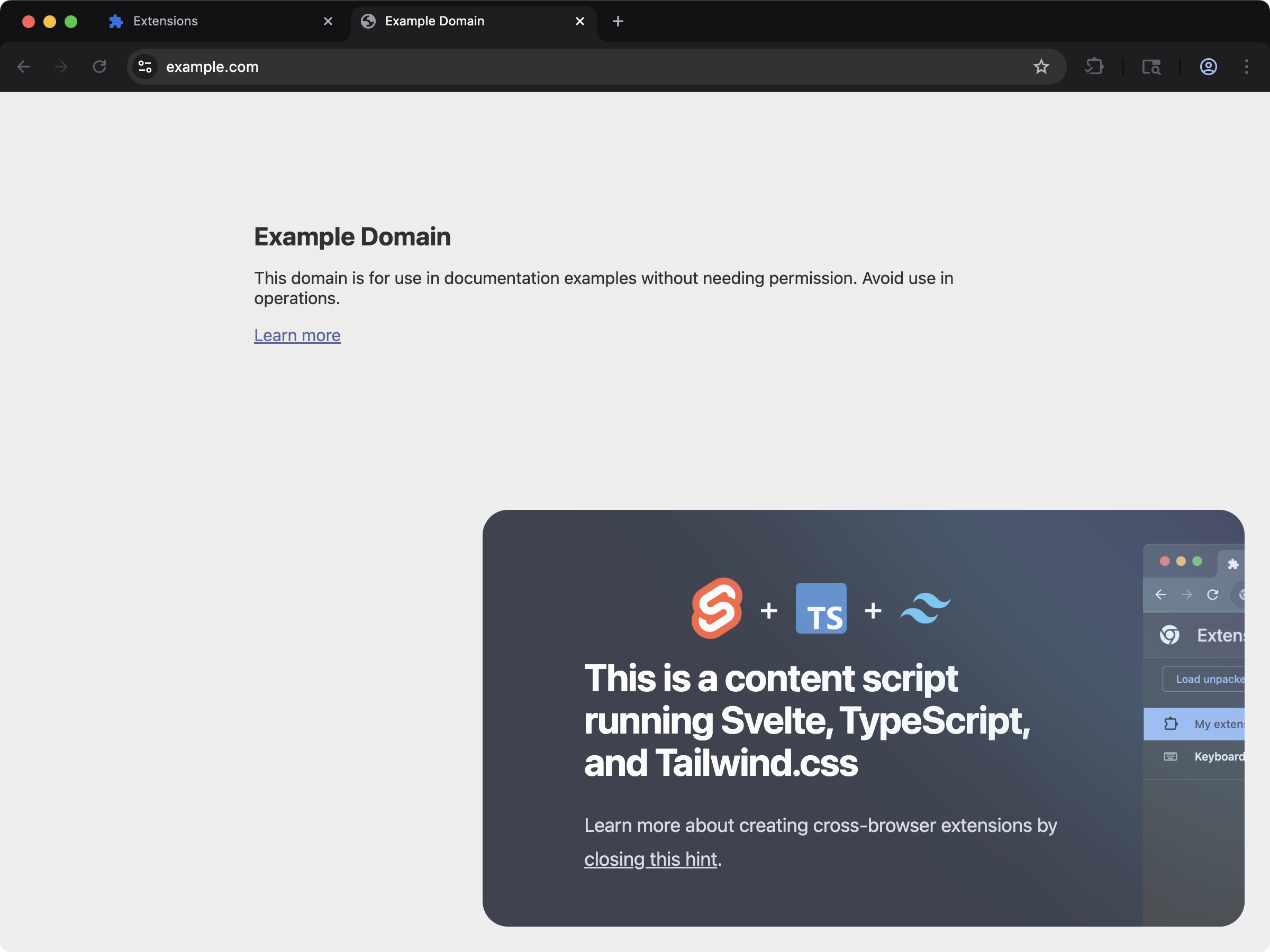 Inject Svelte components into web pages through content scripts.
```bash npm theme={null}
npx extension@latest create my-extension --template=content-svelte
```
```bash pnpm theme={null}
pnpx extension@latest create my-extension --template=content-svelte
```
```bash yarn 2+ theme={null}
yarn dlx extension@latest create my-extension --template=content-svelte
```
```bash bun theme={null}
bunx extension@latest create my-extension --template=content-svelte
```
```bash deno theme={null}
deno run -A npm:extension@latest create my-extension --template=content-svelte
```
Repository: [extension-js/examples/content-svelte](https://github.com/extension-js/examples/tree/main/examples/content-svelte)
## Usage with an existing extension
Install Svelte:
```bash npm theme={null}
npm install svelte
```
```bash pnpm theme={null}
pnpm add svelte
```
```bash yarn theme={null}
yarn add svelte
```
```bash bun theme={null}
bun add svelte
```
```bash deno theme={null}
deno add npm:svelte
```
For explicit setup in an existing project, install the Svelte loader too:
```bash npm theme={null}
npm install -D svelte-loader typescript
```
```bash pnpm theme={null}
pnpm add -D svelte-loader typescript
```
```bash yarn theme={null}
yarn add -D svelte-loader typescript
```
```bash bun theme={null}
bun add -d svelte-loader typescript
```
```bash deno theme={null}
deno add -D npm:svelte-loader npm:typescript
```
When the optional `svelte-loader` package is missing, the build error names the exact version that matches the bundled toolchain. The install command in the error is phrased for the package manager that your project uses.
## Development behavior
When Extension.js detects Svelte, it:
* Enables `.svelte` file resolution.
* Configures the Svelte loader in the JS framework pipeline, with hot reload enabled in development so edited components update without a full page reload.
* Applies Svelte client aliases (for example, `svelte`, `svelte/store`, and `svelte/reactivity`).
If your project lacks optional tooling, Extension.js warns with the exact install command instead of installing it for you. Restart.
## Usage examples
### In an extension page
```html theme={null}
Svelte Extension
```
```ts theme={null}
import {mount} from "svelte";
import App from "./App.svelte";
mount(App, {
target: document.getElementById("app")!,
});
```
Extension.js targets Svelte 5. The Svelte 4 class API (`new App(...)` and `app.$destroy()`)
throws `component_api_invalid_new` on the version the templates install.
### In a `content_script` file
For content scripts, create a mount node and return a cleanup function from your default export. This lets Extension.js remount safely in development:
```ts theme={null}
import {mount, unmount} from "svelte";
import App from "./App.svelte";
export default function main() {
const target = document.createElement("div");
target.id = "extension-root";
document.body.appendChild(target);
const app = mount(App, {target});
return () => {
unmount(app);
target.remove();
};
}
```
## Best practices
* Keep Svelte components focused on UI and move browser API orchestration to dedicated modules.
* In content scripts, always return cleanup so remount behavior stays predictable.
* Use Svelte for extension pages first, then expand to content-script UI once the feature boundary is clear.
## Next steps
* Learn more about [TypeScript support](/docs/languages-and-frameworks/typescript).
* Review the content-script contract in [Content scripts](/docs/implementation-guide/content-scripts).
## Video walkthrough
## See the template run
This documentation is built and hosted on [Mintlify](https://mintlify.com), a developer documentation platform.
Inject Svelte components into web pages through content scripts.
```bash npm theme={null}
npx extension@latest create my-extension --template=content-svelte
```
```bash pnpm theme={null}
pnpx extension@latest create my-extension --template=content-svelte
```
```bash yarn 2+ theme={null}
yarn dlx extension@latest create my-extension --template=content-svelte
```
```bash bun theme={null}
bunx extension@latest create my-extension --template=content-svelte
```
```bash deno theme={null}
deno run -A npm:extension@latest create my-extension --template=content-svelte
```
Repository: [extension-js/examples/content-svelte](https://github.com/extension-js/examples/tree/main/examples/content-svelte)
## Usage with an existing extension
Install Svelte:
```bash npm theme={null}
npm install svelte
```
```bash pnpm theme={null}
pnpm add svelte
```
```bash yarn theme={null}
yarn add svelte
```
```bash bun theme={null}
bun add svelte
```
```bash deno theme={null}
deno add npm:svelte
```
For explicit setup in an existing project, install the Svelte loader too:
```bash npm theme={null}
npm install -D svelte-loader typescript
```
```bash pnpm theme={null}
pnpm add -D svelte-loader typescript
```
```bash yarn theme={null}
yarn add -D svelte-loader typescript
```
```bash bun theme={null}
bun add -d svelte-loader typescript
```
```bash deno theme={null}
deno add -D npm:svelte-loader npm:typescript
```
When the optional `svelte-loader` package is missing, the build error names the exact version that matches the bundled toolchain. The install command in the error is phrased for the package manager that your project uses.
## Development behavior
When Extension.js detects Svelte, it:
* Enables `.svelte` file resolution.
* Configures the Svelte loader in the JS framework pipeline, with hot reload enabled in development so edited components update without a full page reload.
* Applies Svelte client aliases (for example, `svelte`, `svelte/store`, and `svelte/reactivity`).
If your project lacks optional tooling, Extension.js warns with the exact install command instead of installing it for you. Restart.
## Usage examples
### In an extension page
```html theme={null}
Svelte Extension
```
```ts theme={null}
import {mount} from "svelte";
import App from "./App.svelte";
mount(App, {
target: document.getElementById("app")!,
});
```
Extension.js targets Svelte 5. The Svelte 4 class API (`new App(...)` and `app.$destroy()`)
throws `component_api_invalid_new` on the version the templates install.
### In a `content_script` file
For content scripts, create a mount node and return a cleanup function from your default export. This lets Extension.js remount safely in development:
```ts theme={null}
import {mount, unmount} from "svelte";
import App from "./App.svelte";
export default function main() {
const target = document.createElement("div");
target.id = "extension-root";
document.body.appendChild(target);
const app = mount(App, {target});
return () => {
unmount(app);
target.remove();
};
}
```
## Best practices
* Keep Svelte components focused on UI and move browser API orchestration to dedicated modules.
* In content scripts, always return cleanup so remount behavior stays predictable.
* Use Svelte for extension pages first, then expand to content-script UI once the feature boundary is clear.
## Next steps
* Learn more about [TypeScript support](/docs/languages-and-frameworks/typescript).
* Review the content-script contract in [Content scripts](/docs/implementation-guide/content-scripts).
## Video walkthrough
## See the template run
This documentation is built and hosted on [Mintlify](https://mintlify.com), a developer documentation platform.