

manifest.json.
Handle extra pages, runtime-injected scripts, static assets with exact paths, and companion extensions for local development without splitting your project structure.
Where special folders live
Special folders resolve from the project root, and only from there. The rule:- The project root is the directory that contains your
package.json(ordeno.json). - Put
pages/,scripts/,public/, andextensions/in that directory, next topackage.json. src/scripts/is not special. Extension.js ignores nested copies of the special folders, so files there never become entrypoints or copied assets.- Moving
manifest.jsonintosrc/does not move the project root. The scaffolded templates shipsrc/manifest.jsonwithpackage.jsonone level up, and special folders belong on thepackage.jsonlevel.
package.json and no deno.json. There the directory that contains manifest.json becomes the project root. When that manifest sits in src/, src/ is the root, and special folders (and dist/) live inside src/.
Template examples
special-folders-pages
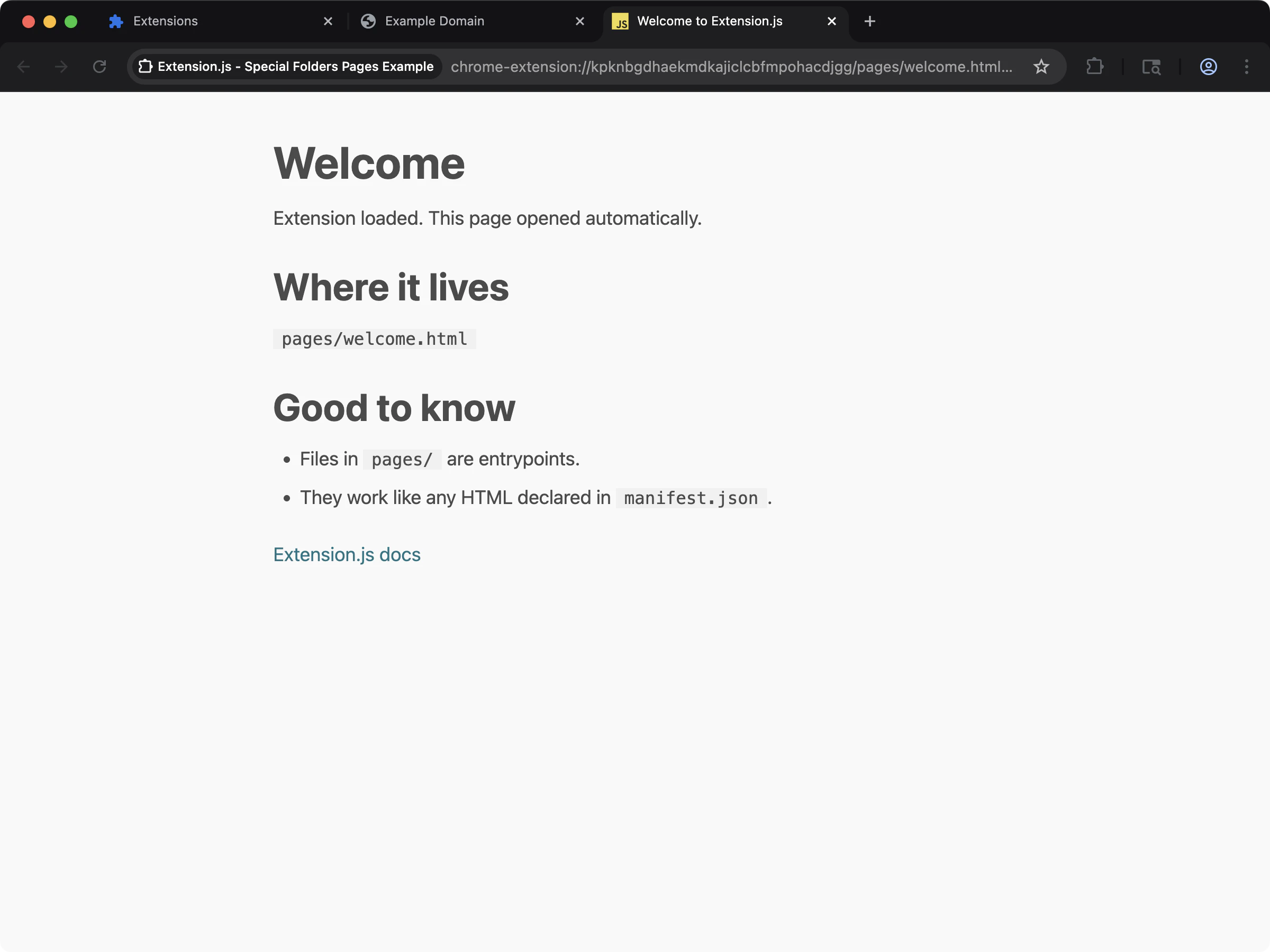
pages/ special folder in action with extra HTML entrypoints.
special-folders-scripts
scripts/ special folder in action with standalone script entrypoints.
Why this matters
The manifest does not directly declare many extension files. These include iframe pages, scripts you inject dynamically withchrome.scripting.executeScript, and static vendor assets. You may also need companion extensions during development. Special folders make all of these first-class in the build pipeline.
How it works
Each special folder has a specific role:pages/: additional HTML entrypoints
Use pages/ for extra extension pages such as sandbox iframes, diagnostics pages, or internal tools.
Extension.js treats each .html file in pages/ as an entrypoint and compiles it like manifest-declared pages.
From the release after 4.1.41, a page in pages/ that a script names with getURL, such as pages/welcome/index.html, is served compiled at that path too. Its source files are not copied.
For a sandboxed iframe example, see the Chrome Sandbox Sample.
scripts/: standalone script entrypoints
Use scripts/ for executable scripts that you load dynamically and that do not tie to an HTML page entry.
Extension.js compiles files in scripts/ as entrypoints using the same extension resolution pipeline as the rest of your project.
Root location and emitted path
Two facts trip up mostscripts/ setups.
Location. scripts/ lives beside package.json (or deno.json), at the project root, not inside src/. This holds even when manifest.json lives in src/. The one exception is a project with no package.json and no deno.json, where the manifest directory is the root. See where special folders live.
Emitted path. Inject the compiled file. A scripts/foo.ts source is compiled to scripts/foo.js, so chrome.scripting.executeScript({ files }) and chrome.scripting.registerContentScripts({ js }) must name the .js file. A .ts path builds fine and then fails with a 404 in the browser. Extension.js warns about a compiled source literal at build time. The warning names the emitted path to use.
background.ts
/scripts/foo.js. Firefox resolves a path with no leading slash against the page. To run the file in the page’s own world, see Inject scripts at runtime.
The folder contract
Every file that you put inscripts/ or pages/ ships at a predictable output path. scripts/foo.ts becomes dist/<browser>/scripts/foo.js, and pages/extra.html becomes dist/<browser>/pages/extra.html. Nothing has to declare the file. A runtime string such as chrome.runtime.getURL("pages/extra.html") or chrome.scripting.executeScript({ files: ["scripts/foo.js"] }) finds it. A file that nothing references ships too, and the build prints no warning about it. The build leaves out Node.js helpers: a file with a shebang, a Node.js import, or a path that a package.json script runs. To turn a folder off, set its key to false in extension.config.js:
extension.config.js
folders key.
From the release after 4.2.0, the build looks for entries only in pages/ and scripts/, at any depth, and skips node_modules folders. A page ends in .html. A script ends in .js, .mjs, .jsx, .mjsx, .ts, .mts, .tsx, or .mtsx, spelled in lowercase, so scripts/Foo.JS is not an entry. A link inside either folder is followed while it stays inside the project. A folder inside pages/ or scripts/ that the build cannot read stops the build with E_FOLDER_UNREADABLE, and the message names that folder.
From the release after 4.2.0, these two folders must be named in lowercase too. No build reads a Pages/ or Scripts/ folder, on any disk, so a project builds the same on macOS, Windows, and Linux. Each such folder prints one W_PROJECT_LAYOUT warning that names it and asks you to rename it.
From the release after 4.2.0, a declaration file (.d.ts, .d.mts, or .d.cts) in scripts/ is never an entry.
Two files with one entry name
An entry is named by its path inside the folder, without the extension. A page namedindex.html inside a subfolder stands for that subfolder. So pages/a.html and pages/a/index.html both claim the name pages/a, and scripts/a.js and scripts/a.ts both claim scripts/a.
From the release after 4.2.0, the build uses the file whose path sorts last: pages/a/index.html over pages/a.html, and scripts/a.ts over scripts/a.js. A file that a link inside the folder reaches follows the same rule. One W_PROJECT_LAYOUT warning names each entry name, the file used, and every file ignored. Rename or delete the ignored files.
A helper module inside scripts/
Every file in scripts/ is built as an entry of its own. A helper that other files import ships as one more file that nothing loads. From the release after 4.1.39, the build prints one warning for a file that other files import and that nothing names by its output path. The warning prints the exclude value to paste:
extension.config.js
Important contract
When you use ascripts/ entry as a content-script-like runtime entry, follow the content script initialization pattern. This is the default-export contract Extension.js expects for safe hot-reload of injected scripts:
- Export a default function.
- Perform setup inside that function.
- Optionally return a synchronous cleanup.
Node.js scripts are not allowed in scripts/
Extension.js wraps every file inside scripts/ with a browser content-script mount runtime. If you place a Node.js-only file there (for example, a CLI launcher or build helper), the wrapper breaks the file.
The shebang is no longer on line 1, and Node-only APIs are unavailable in the browser context.
Extension.js detects two Node.js indicators and leaves the file out of the build:
- A shebang (
#!/usr/bin/env node) on line 1. - An import from the
node:protocol (for example,import fs from 'node:fs').
Development-only entries
A page or script whose name carries.dev. before its extension is a development-only entry. extension dev compiles it like any other file in its folder. A production build (extension build, extension start) leaves it out: no HTML, no chunk, and nothing in the generated manifest names it.
chrome.runtime.getURL("pages/player.dev.html") finds it. The page is not in the production output, so guard that reference in code that ships, for example behind process.env.NODE_ENV !== "production".
- The convention reads the file name only. A folder named
dev/is a plain folder, andpages/dev/player.htmlships. extension build --mode developmentis a development compile, so it keeps these entries.- A file that is not an entry, such as a
player.dev.cssa page imports, follows the page that imports it. - To copy extra files into a build by mode or environment, see
includein extension.config.js.
Leaving a file out of one browser
A page or script that only one browser family uses, such as an offscreen document Chromium opens while Firefox does the same work in another page, can be left out of the other browser’s build with theexclude key in extension.config.js. Needs 4.1.39 or later. Each entry is a path relative to the project root. A page or script in a special folder named here gets no entry and emits nothing: no HTML, no chunk, no stylesheet. A file under public/ named here is not copied.
extension build --browser=firefox now ships dist/firefox/pages/ without the offscreen page, and extension dev --browser=firefox leaves it out too. The Chrome build is unchanged. The same key works at the top level, where it applies to every browser, and under commands.dev, commands.start or commands.build. The lists add up: a file named in any layer is left out.
The .dev. suffix decides by mode and exclude decides by browser. A file can use both.
- If the manifest still names an excluded file for that browser, the build stops with an error that names the file and the browser, because the manifest would point at a file the output does not hold. Scope the manifest key with a
chromium:,gecko:orsafari:prefix so the reference exists only where the file ships, or remove the file fromexclude. - A script that opens the page at runtime, like
chrome.offscreen.createDocument({ url: "pages/offscreen.html" }), no longer pulls it back into the build. Guard that call so it runs only where the page ships. - An entry that matches no file in the project produces a warning, so a typo does not ship the page silently.
- Entries are exact file paths. Folders and glob patterns are not read.
public/: copy-only static assets
Use public/ when you need stable file paths and no bundling/transformation.
Extension.js copies everything under public/ to the output root 1:1.
From the release after 4.1.39, that copy is byte for byte in every mode. A production build does not minify or transform a file under public/. A vendored script keeps its license banner, its last expression, and its sourceMappingURL comment. A file that you declare under include in extension.config.js ships the same way, except a script. A production build minifies an included script unless you opt out, see Extra files in the build.
Important public/ guard
Do not place manifest.json at public/manifest.json. Extension.js prevents this to avoid overwriting the generated manifest during compilation. The build stops. From the release after 4.2.0, it stops with E_MANIFEST_IN_PUBLIC, and the message reads:
public/ file whose output path an entry already writes is not copied. The entry’s file wins, and one W_PROJECT_LAYOUT warning names the file.
The folder name is lowercase
From the release after 4.2.0, the public folder must be namedpublic/ in lowercase. A Public/ or PUBLIC/ folder prints one W_PROJECT_LAYOUT warning that asks you to rename it:
- On a disk that ignores letter case, the macOS default, the folder still ships.
- There, the warning says that another spelling stops working in the next major version.
- On a disk that keeps letter case, as on most Linux systems, nothing in the folder ships.
- A
PUBLIC/folder beside a realpublic/folder is a second folder. Nothing in it ships on any disk, and the warning says so.
Files that never ship
From the release after 4.1.41, private files never reach the build, even frompublic/. That covers files such as .env, .npmrc, .git, and .DS_Store. A page or a stylesheet url() that names one warns once that the file is not bundled. The warning carries the code that a missing file of the same kind gets. Move the content into a file with another name.
From the release after 4.1.41, dev does not serve these files either. That covers env files, OS metadata such as Thumbs.db and desktop.ini, repository files, and editor backups such as name~. A request for one answers 404 like a missing file, and editing one does not reload the extension.
extensions/: companion extensions (load-only)
When you use companion extensions (for example, DevTools helpers), Extension.js supports an extensions/ folder as a load-only source in dev/preview/start flows.
At a high level:
- Scans subfolders under
extensions/for unpacked extension roots (manifest.jsonpresent). - A subfolder named for a browser loads only for that browser family:
extensions/chrome/for Chromium targets,extensions/edge/for Edge, andextensions/firefox/for Gecko targets. Root-level subfolders and entries you configure explicitly load everywhere. - Extension.js loads companion extensions alongside your main extension.
- Use this folder to load companion extensions, not to build them into your main artifact.
--extensions CLI flag or the extensions key in extension.config.js:
chromewebstore.google.com (and the legacy chrome.google.com/webstore form), microsoftedge.microsoft.com, and addons.mozilla.org, with or without a scheme or a www. prefix. A downloaded store extension lands under extensions/<browser>/ and loads only for that browser. A link from another host, a bare store id, or an entry that is neither a link nor a path is reported as an error instead of being dropped.
From the release after 4.1.41, some companion entries only warn, with W_COMPANION_EXTENSION_PATH. That covers an entry outside the project, a folder that is not an unpacked extension, and a missing folder. The browser opens without it. A project whose only manifest belongs to a companion under extensions/ is still refused with E_COMPANION_EXTENSION_PATH.
Development behavior (watch mode)
In development watch mode, Extension.js monitorspages/ and scripts/ for file set changes.
Adding a file under pages/ or scripts/ restarts the compiler by itself. From the release after 4.1.41, deleting or renaming a file there does the same, and the restart removes the outputs of files that are gone. No manual restart is needed.
Best practices
- Keep shared runtime assets in
public/: Use it for files that must keep exact names and paths in output. - Use
pages/andscripts/for true entrypoints: Keep off-manifest execution paths explicit. - Name test harness pages
.dev.: Apages/player.dev.htmlruns inextension devand never reaches a store build. - Keep companion extensions isolated: Treat
extensions/as load-only dependencies for local workflows. - Do not place
manifest.jsoninpublic/: Extension.js blockspublic/manifest.jsonto protect the generated extension output.
Next steps
- Learn more about Page reload and hot module replacement (HMR).
- Understand the mount contract in Content scripts.
- Browse the Templates to scaffold your next extension.